
Is Power BI GDPR compliant in Lithuania?

Yes, Power BI can be used in compliance with the GDPR, but the tool alone is not enough. You need three things working together: a documented risk assessment in line with the VDAI guidelines (VDAI being the State Data Protection Inspectorate, Lithuania’s data protection authority), a permissions plan for the semantic model with row-level security and workspace management, and sensitivity labels backed by a Purview audit trail. Start with the risk assessment, because it determines which technical measures the organisation actually needs.
In brief:
- A risk assessment is essential, because it determines which technical measures are actually needed to protect data in Power BI solutions.
- Row-level security cannot restrict access to model objects, so additional measures and proper management of workspace permissions are required.
- Sensitivity label actions are automatically recorded in the audit log, and their history is important for demonstrating data classification and traceability.
- The organisation must review access rights continually and manage workspace role settings through Microsoft Entra, in keeping with the GDPR-based principle of least privilege.
- Audit data and sensitivity label history are the main evidence when notifying VDAI of data breaches, which must be reported within 72 hours of the incident.
Contents
- Summary of GDPR requirements and how they relate to Power BI solutions
- Row-level security: technical limitations and good practice
- Sensitivity labels and Microsoft Purview: classification and the audit trail
- The workspace permissions model and Microsoft Entra: securing access so that RLS works
- Documentation, auditing and notifying VDAI of breaches
- A practical example: how Analitika360 implements GDPR elements in Power BI solutions
- Implementation checklist: steps, responsibilities and acceptance criteria
- Editorial view: GDPR compliance is a process, not a one-off deployment
- Analitika360 solutions: GDPR-grounded Power BI reports for Rivilė and Finvalda users
- Sources
- FAQ
Summary of GDPR requirements and how they relate to Power BI solutions
The GDPR does not prescribe specific technologies, but it does require the data controller to assess the risk and choose appropriate measures itself. VDAI’s guidelines on organisational and technical security measures state clearly that Articles 24 and 32 of the GDPR oblige controllers to carry out a risk assessment and to document why the chosen measures are appropriate. In other words, a Power BI deployment does not begin with building the model, but with the question of what personal data will flow into the reports and what the threat would be if it fell into the wrong hands.
The guidelines stress that the choice of measures must take into account the nature, scope, context and purposes of the processing, as well as the risk to the rights of natural persons. In practice, a restaurant chain analysing sales data has a different risk profile from an accountancy firm working with employee payroll information.
An organisation deploying a Power BI solution should have at least the following documents:
- A data security policy describing how personal data is processed in analytics systems.
- A risk assessment record justifying why particular technical measures were chosen.
- An access management policy setting out who gets access to reports and on what basis.
- An incident management procedure defining the steps to take in the event of a data security breach.
The risk assessment must establish specific points: which table columns count as personal data, who has access to non-aggregated data, and whether reports are exported outside the organisation. Only then can you make a reasoned decision on whether row-level security is sufficient or whether access to all model objects also needs to be restricted.
Row-level security: technical limitations and good practice
Row-level security, or RLS, is Power BI’s main tool for limiting which rows a user can see in a report. However, Microsoft’s documentation on RLS points out an important limitation: RLS filters only restrict access to rows; they cannot restrict access to model objects such as tables, columns or measures. This means a user with access to the model can see its structure and metadata, even if particular rows are hidden from them.
This limitation matters from a GDPR perspective, because a risk assessment cannot claim that RLS on its own guarantees complete access control. Where data is highly sensitive, it is often more effective to separate audiences through different semantic models – for example, one model for managers with full information and another for the operations team with a restricted scope – than to try to build one complex set of rules for everyone.
A practical RLS implementation usually follows this order:
- A role is created in the model that applies a DAX filter to a specific table, for example by department or user ID.
- The role is tested using the “Test as role” feature in Power BI Desktop to check that the filter works as intended.
- The model is published to a workspace, and specific users or Entra security groups are assigned to the roles.
- Performance is checked periodically with Performance Analyzer, as complex RLS filters can slow down report loading.
An important nuance: the Microsoft Fabric documentation states that RLS applies only to users with the Viewer role in the workspace. RLS does not apply to users with the Admin, Member or Contributor roles, because they have edit rights to the semantic model. This is a common mistake: the RLS rules are set up correctly, but users have overly broad workspace permissions, so the restriction does not work in practice.
Expert tip: Before publishing a model, check each user’s workspace role, not just the RLS rule. If a user has Contributor rights, the RLS filter will not apply to them, however sophisticated the rule.
Sensitivity labels and Microsoft Purview: classification and the audit trail
Sensitivity labels allow Power BI content to be classified by sensitivity level, for example “internal use” or “confidential”. Microsoft’s documentation on sensitivity labels confirms that applying, changing and removing labels is recorded in the activity log, and the admin portal includes a separate protection metrics report showing the state of sensitive data across the organisation’s environment.
Almost all label actions automatically end up in the audit log, which gives the data controller concrete evidence that sensitive data has been identified and monitored, as Microsoft’s documentation confirms.
Microsoft Purview complements this system in a different way: it scans Power BI content and collects metadata and lineage information – that is, it shows where the data came from and how it was transformed on its way to the report. The Microsoft Purview documentation advises waiting around 15 minutes after registering the tenant for scanning before testing the connection, as configuration changes do not propagate through the system instantly.
The practical benefit for GDPR documentation is direct:
- Lineage information lets you show that personal data from the Rivilė or Finvalda accounting system reached a specific report via a clear, traceable path.
- Sensitivity label history becomes evidence that the organisation systematically classifies sensitive data, rather than merely stating that it does in a policy.
- The protection metrics report lets the data protection officer see the overall state of sensitive data regularly without a manual audit.
The workspace permissions model and Microsoft Entra: securing access so that RLS works
An RLS rule is only half the solution if workspace permissions are granted carelessly. Power BI has four main workspace roles: Admin, Member, Contributor and Viewer. As noted earlier, the Microsoft Fabric documentation confirms that RLS applies only to the Viewer role, so any broader permission effectively opens up full access to the data.
This means that an organisation seeking GDPR compliance must manage not only the RLS rules, but also who is given each role:
- Users should be assigned to roles through Microsoft Entra security groups rather than individually, as this allows access to be managed centrally and revoked quickly when an employee leaves their post.
- The Contributor and Member roles should be reserved for people who actually build or edit reports, not those who simply view them.
- A periodic permissions review, for example quarterly, helps identify whether access was granted too broadly for a temporary project and then forgotten.
- A data retention policy should set how long historical audit log entries remain available, so that they can be provided in the event of a VDAI inspection.
This principle, known as least privilege, is not merely an IT security recommendation. It should be clearly recorded in the risk assessment documents as an organisational measure that complements the technical RLS solution.
Documentation, auditing and notifying VDAI of breaches
Once the technical measures are in place, the organisation needs a system for recording how they operate and for responding if something fails. In Power BI, audit information is collected from several sources, and each has its own place in the GDPR documentation.
- The Power BI audit log records user actions such as viewing, exporting or sharing reports, and is the main source of evidence for internal audit.
- The sensitivity label activity log shows when a label was applied, changed or removed for specific content, as Microsoft’s documentation confirms.
- The protection metrics report gives an overall picture of how sensitive data is distributed across the organisation over a given period.
- These records should be retained in line with a predefined retention policy, so that they can be produced at short notice when needed.
If a data security breach occurs – for example, wrongly granted access allows sensitive data to be seen – VDAI requires it to be reported within 72 hours of becoming aware of it. The notification must state the nature of the breach, its likely consequences and the measures taken or planned. That is why the audit log and sensitivity label history become not just a technical tool, but a direct source for quickly gathering the information VDAI requires.
A practical example: how Analitika360 implements GDPR elements in Power BI solutions
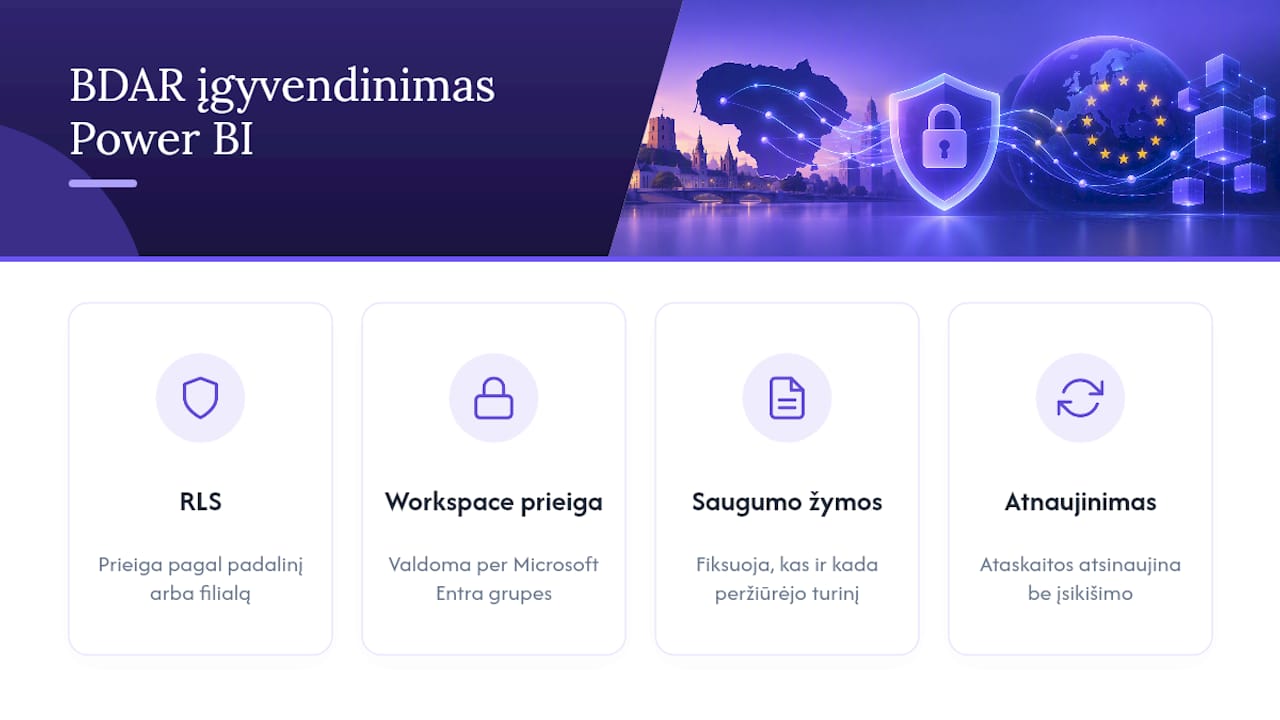
Some Power BI reporting solutions combine data from accounting software with additional sources such as SharePoint and Excel. These solutions are designed so that reports refresh automatically and reduce the need to move data around manually.
At a technical level, the solution architecture combines several of the elements described above. Row-level security is implemented in the semantic model, set up by department or by restaurant chain branch, and workspace access is managed through Microsoft Entra security groups rather than individual users. Sensitive data segments, such as employee salaries or customer contact details, are given sensitivity labels, which make it possible to track who viewed specific content and when.
Automated reports that refresh without any further user intervention let the team focus on making decisions rather than moving data.
— Analitika360
Implementation checklist: steps, responsibilities and acceptance criteria
Aligning the GDPR with Power BI successfully happens step by step, not on every front at once.
- Carry out a risk assessment, documenting what personal data will go into the model and who will have access to it.
- Design the solution architecture, deciding whether a single model with RLS is sufficient or whether separate models are needed for different audiences.
- Implement RLS rules and sensitivity labels tailored to the findings of the risk assessment.
- Configure Microsoft Entra security groups and assign them to workspace roles, following the principle of least privilege.
- Test the solution using the “Test as role” feature and check that audit log entries are available to the person responsible.
Each stage must have an owner: the data protection officer approves the risk assessment, the IT or analytics team designs the architecture, and the model owner gives final acceptance after checking that the test results match the plan and that the audit records are available for review.
Editorial view: GDPR compliance is a process, not a one-off deployment
A common mistake is to assume that GDPR compliance is complete once the RLS rule is configured and the sensitivity label applied. In reality, that is the starting point, not the finish line. Permissions change, staff come and go, and data sources grow, so a one-off risk assessment goes out of date within a year faster than expected.
Organisations would do well to involve the data protection officer and the person responsible for IT security at the design stage, not just for a post-deployment check. This allows the risk assessment to be treated as a living document rather than a formality.
— Analitika360
Analitika360 solutions: GDPR-grounded Power BI reports for Rivilė and Finvalda users
Companies using accounting systems may benefit from ready-built Power BI report packages that integrate with those systems and refresh automatically, with no extra work for your team.
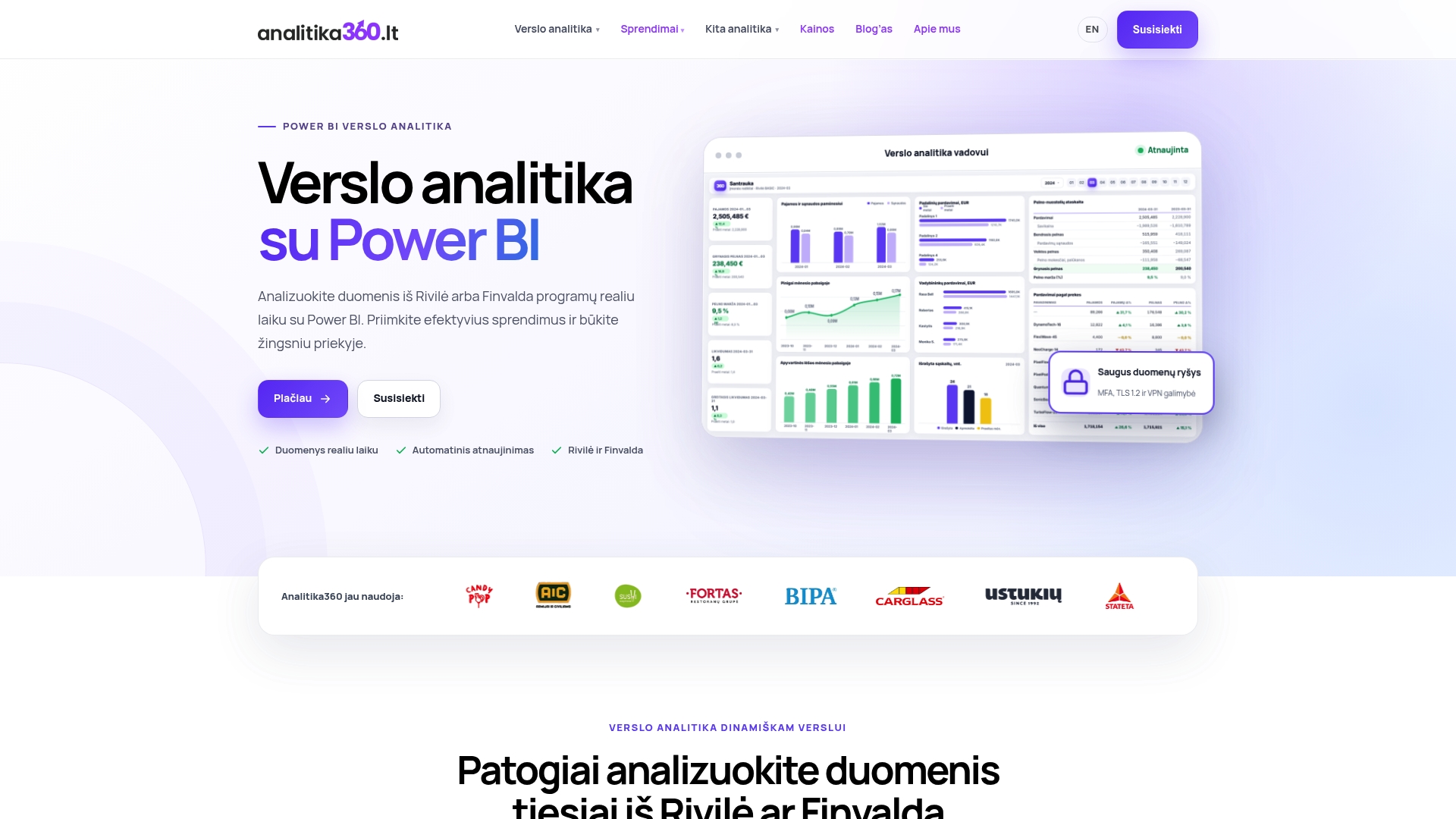
The offering includes four standard packages, plus bespoke projects for more complex cases where additional sources such as CRM or logistics systems need to be connected.
- Rivilė Basic and Finvalda Basic packages suit companies wanting to start with reports on core financial indicators.
- Rivilė PRO and Finvalda PRO packages provide broader report coverage and more integration options.
- Bespoke projects are priced on an hourly basis and are intended for solutions tailored to a specific company’s processes and IT systems.
| Package | Price | Best for |
|---|---|---|
| Rivilė Basic | affordable | Rivilė users starting with core reports |
| Rivilė PRO | affordable, higher than Basic | Rivilė users wanting broader analytics |
| Finvalda Basic | affordable | Finvalda users starting with core reports |
| Finvalda PRO | affordable, higher than Basic | Finvalda users wanting broader analytics |
Every package includes automated data refresh, so the team no longer has to export or move files between systems by hand. To choose the right package for your business, visit the pricing page or take a closer look at the Rivilė Basic and Finvalda PRO solutions.
Sources
If you want to explore the legal and technical background in more depth, you will find useful material in the following sources: VDAI’s security measures guidelines set out the basis for risk assessment under Articles 24 and 32 of the GDPR, Microsoft’s RLS documentation covers the technical limitations and configuration steps, and the Purview documentation explains how to scan Power BI content and obtain lineage information. In the context of financial data reporting, our partner’s article on foreign exchange market analysis is also useful.
This article is general information, not a substitute for advice from a qualified lawyer. Consult a qualified legal professional about your own circumstances before acting on anything here.
- Guidelines on implementing appropriate organisational and technical data security measures
- Row-level security (RLS) with Power BI - Microsoft Fabric
FAQ
Is Power BI GDPR compliant out of the box?
No. Power BI is a tool, and compliance depends on how it is configured and which processes support it. You need a risk assessment, row-level security rules, workspace permissions management and sensitivity labels working together, as set out in the VDAI guidelines.
Why does an RLS rule sometimes fail to protect data even when it is configured correctly?
The most common reason is that the user has Admin, Member or Contributor rights in the workspace, whereas RLS applies only to the Viewer role. So you need to check not only the DAX filter but also each user’s workspace role.
How long do we have to notify VDAI of a data security breach?
VDAI requires notification within 72 hours of becoming aware of the breach. The notification must state the nature of the breach, its possible consequences and the measures taken.
What does Power BI record when sensitivity labels are used?
Applying, changing and removing a sensitivity label are automatically recorded in the activity log, as described in Microsoft’s documentation. The admin portal also provides a protection metrics report showing the overall state of sensitive data.
Do Analitika360 solutions help meet GDPR requirements?
Analitika360 packages such as Rivilė PRO and Finvalda PRO come with automated data refresh, which reduces the risk associated with moving data manually. Specific RLS and sensitivity label configurations are best arranged as a bespoke project, taking your company’s risk assessment into account.