
Finvalda debts: how to automate receivables management

Finvalda can automatically generate debt reconciliation statements and send reminders based on predefined filters, and documents can be exported to XLS, CSV, PDF or XML, or sent by email, with no extra manual work. The system also integrates with the external platform Teisininkas.pro, which takes over debt prevention and legal recovery. The result: less manual work, fewer errors and faster recovery of money owed.
In brief:
- Automated debt mailings run on predefined filters, based mainly on the age of the debt, to reduce errors and improve efficiency.
- Debt reports fall into three types, by date, turnover and receivables settlements, which let you monitor the state of debts and their trends.
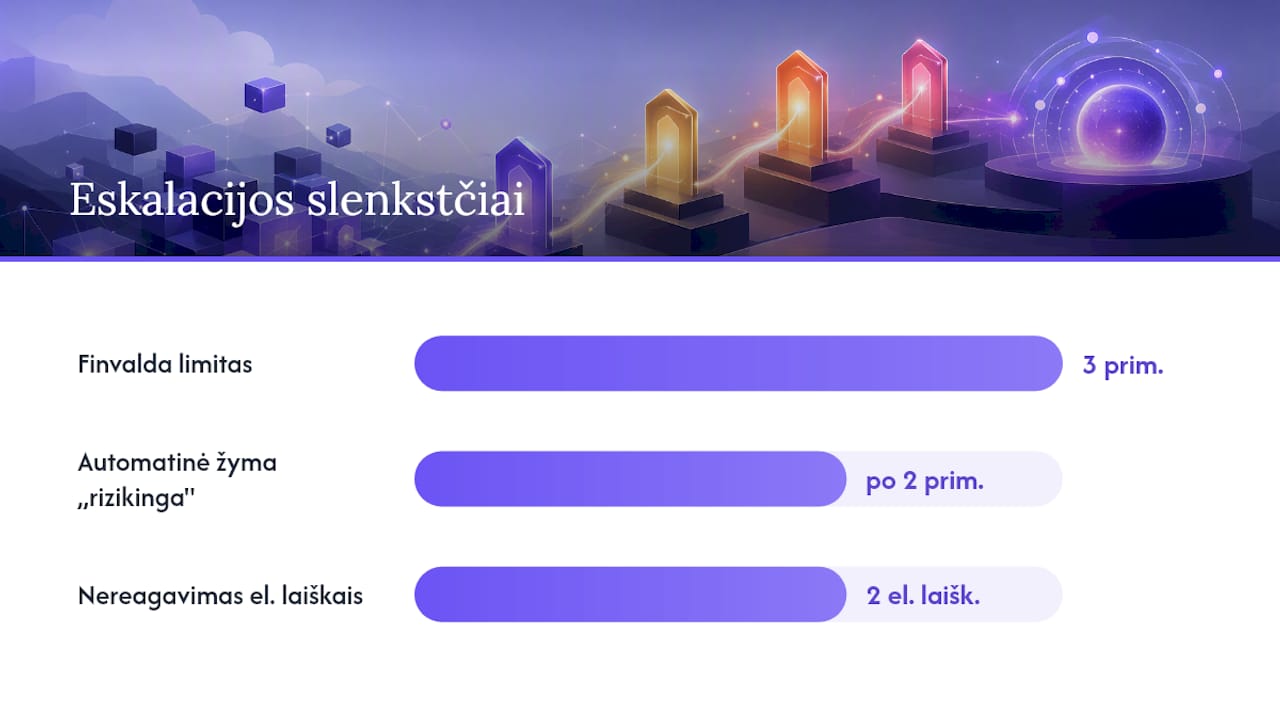
- If a debt has gone through three ignored reminders, or the customer fails to respond to two consecutive emails, it is advisable to bring in the Teisininkas.pro integration.
- The correct account group and accurate allocation of debts are essential for the automation to work and for reminders to be generated correctly.
- Automation saves many companies a great many working hours every year, while Power BI solutions let you see debt and financial indicators in real time.
Contents
- How Finvalda debt automation works
- When to choose the Teisininkas.pro integration
- Receivables and payables accounts: how to configure them correctly
- Step by step: switching on debt automation
- Common mistakes and how to avoid them
- The Analitika360 perspective: Finvalda data and Power BI
- What you need to know before deploying automation
- Ready-built Power BI packages for Finvalda users
- Sources
- Frequently asked questions
How Finvalda debt automation works
Finvalda’s approach to debt management rests on a single idea: a rule configured once should run every month without further intervention from the user. Based on the filters you set (for example, the age of the debt, an amount above a certain threshold, or a specific customer group), the system automatically generates debt reconciliation statements and reminders and then sends them to customers itself. The accountant no longer has to check manually each time whose payment is overdue.
Pro tip: It pays to build filters around the age of the debt rather than the amount. A €200 debt that is 90 days old is more likely to go unnoticed than a €5,000 debt that the finance manager is already watching.
Debt reports in Finvalda fall into three practical types, and each is worth understanding on its own:
- Debts at a date – shows how much each customer or supplier owes at a given point in time.
- Debt turnover – shows how a debt has changed over a chosen period: how much new debt arose and how much was settled.
- Receivables settlements – details the specific payments and invoices linked to each debt.
These three reports work together. The debts-at-a-date figure shows the current position, turnover shows the trend, and receivables settlements let you drill down to an individual document when you need to sort things out with a customer.
Document automation is not limited to reminders. Finvalda WEB lets you export any report to XLS, CSV, DOC, PDF or XML, or send it straight by email on a set schedule. This means a process configured once (for example, sending debt reconciliation statements to major customers every week) runs on its own.
Functionality varies by product. Finvalda WEB provides basic reports and export in the browser. Finvalda MAXI includes a broader debt management package, including automatic calculation of late-payment interest and the option to connect the WEB and Finance PRO modules in a single system. Finvalda Finance PRO additionally provides mobile cash flow reports, so reminders and a detailed debt overview can be viewed directly on your phone.
For a medium-sized company, this automation saves a significant number of working hours a year that would previously have gone on writing letters by hand and tracking payments.
When to choose the Teisininkas.pro integration
Finvalda’s built-in automation handles standard reminders very well, but not every debt is stopped by a single email. When a customer ignores three reminders in a row, a different tool is needed: the Teisininkas.pro integration takes over the process from prevention through to legal recovery.
The integration is useful in three situations, as the impact of financial technology on small businesses is increasingly recognised and helps manage risk more effectively:
- Prevention – the system checks a new customer’s credit risk before a contract is signed.
- Automated monitoring – it tracks the progress of a debt after Finvalda’s reminders have failed.
- Legal recovery – it passes the case to lawyers once a debt becomes a problem debt.
The test for when to choose an external service over the built-in automation is simple: if a debt has gone through more than three reminder cycles, or the customer has not responded to two emails in a row, it is worth handing the case over to Teisininkas.pro rather than continuing to send Finvalda reminders into the void.
Pro tip: Set a clear escalation rule in your team: after the second unsuccessful reminder, the debt is automatically flagged as “at risk” and passed to a named person who decides whether to bring in Teisininkas.pro.
For larger or more complex companies, a combination works best: Finvalda handles day-to-day work with the majority of customers who pay, and Teisininkas.pro steps in only when the standard process fails. This covers the entire debt cycle without unnecessary work on customers who already pay on time.
Receivables and payables accounts: how to configure them correctly
Automation only works when the accounting foundations are set up correctly. The Finvalda user guide sets out a clear rule: accounts used to record debts must have the type “kreditoriai” (payables, group 443) or “debitoriai” (receivables, group 241). This distinction is not a formality: it determines which report a debt appears in and whether a reminder is generated for the right recipient.
- Assign the type on the customer record. For every customer and supplier, you need to specify in advance which account is used as the receivables or payables account; otherwise the automation will not be able to identify the debt.
- Group debts by nature. Practical experience shows that it is worth keeping the same customer’s debts in different balance sheet accounts according to their nature (for example, a trade debt separately from a loan), as this provides a more accurate basis for business analysis.
- Use transaction types to allocate debts. Every transaction (sale, payment, adjustment) must be marked with a type that allows the system to allocate the amount correctly to a specific debt line.
- Set a maximum customer debt. When the limit is exceeded, the system can automatically block new sales to that customer until the debt falls or the sale is approved manually.
These four steps form the foundation on which all the rest of the automation runs. An incorrectly assigned account group means a reminder may simply not be generated, even if the filter is technically correct.
Step by step: switching on debt automation
Setting it up requires no programming knowledge, but it does require discipline. Below is a sequence worth working through in order, rather than skipping steps for the sake of speed.
- Review the settings. Check the start date, company details and chart of accounts before you begin configuring the automation. Inaccurate details will show up in every document sent.
- Check the chart of accounts. Make sure all receivables and payables accounts have the correct groups (241/443), as described in the previous section.
- Create a filter for reminders. A typical example: the debt is more than 14 days overdue and the amount exceeds €50. A filter like this separates real problems from small delays that sort themselves out.
- Assign a document template. Choose or adapt the reminder and reconciliation statement template so that it contains all the necessary information: amount, due date and payment details.
- Set the sending schedule. Decide whether reminders are sent daily, once a week or on a specific day of the month. More frequent sending suits high-turnover companies; less frequent sending suits smaller ones.
- Test with a limited group. Run the automation for the first time with just a few test customers or an internal email address to check that the document looks right and is sent on time.
- Review the generated documents. Check that the amount, date and customer details match what is in the accounts.
- Go live. Once the test succeeds, switch the automation on for all customers, but monitor the results manually during the first week.
Pro tip: Don’t launch the automation on a Friday before the weekend. If the template contains an error, it is better to spot it on a weekday morning, when you can fix it in a few minutes, than two days later, when it has already gone out to hundreds of customers.
Once the process is running smoothly, it is worth reviewing the filter thresholds once a quarter. Your customer base and payment habits change, so a filter that worked last year may generate too many or too few reminders this year.
Common mistakes and how to avoid them
Most problems with Finvalda debt automation arise not from shortcomings in the system but from incorrectly configured source data. Knowing where mistakes are most often made will save you a great deal of time.
- Chart of accounts mismatch. If an account is not assigned type 241 or 443, the debt simply will not appear in the report or the automation filter.
- Filters that are too broad or too narrow. A filter that captures every debt from the first day it is overdue generates too many reminders, and customers start ignoring them.
- Outdated customer details. An email address that has not been updated on the customer record means the reminder simply never reaches the recipient’s inbox.
- Incorrectly assigned transaction types. If a payment is marked with the wrong transaction type, the system may show a debt that has in fact already been settled.
When a reminder or reconciliation statement is generated incorrectly, first check the transaction type of the specific entry and the account assignment on the customer record. The error is usually found in one of these two places.
Good practices that reduce the likelihood of errors: a periodic (quarterly) review of reports, clear assignment of responsibility for debt monitoring to a specific person, and documented procedures so that a new member of staff can take over the process quickly.
The Analitika360 perspective: Finvalda data and Power BI
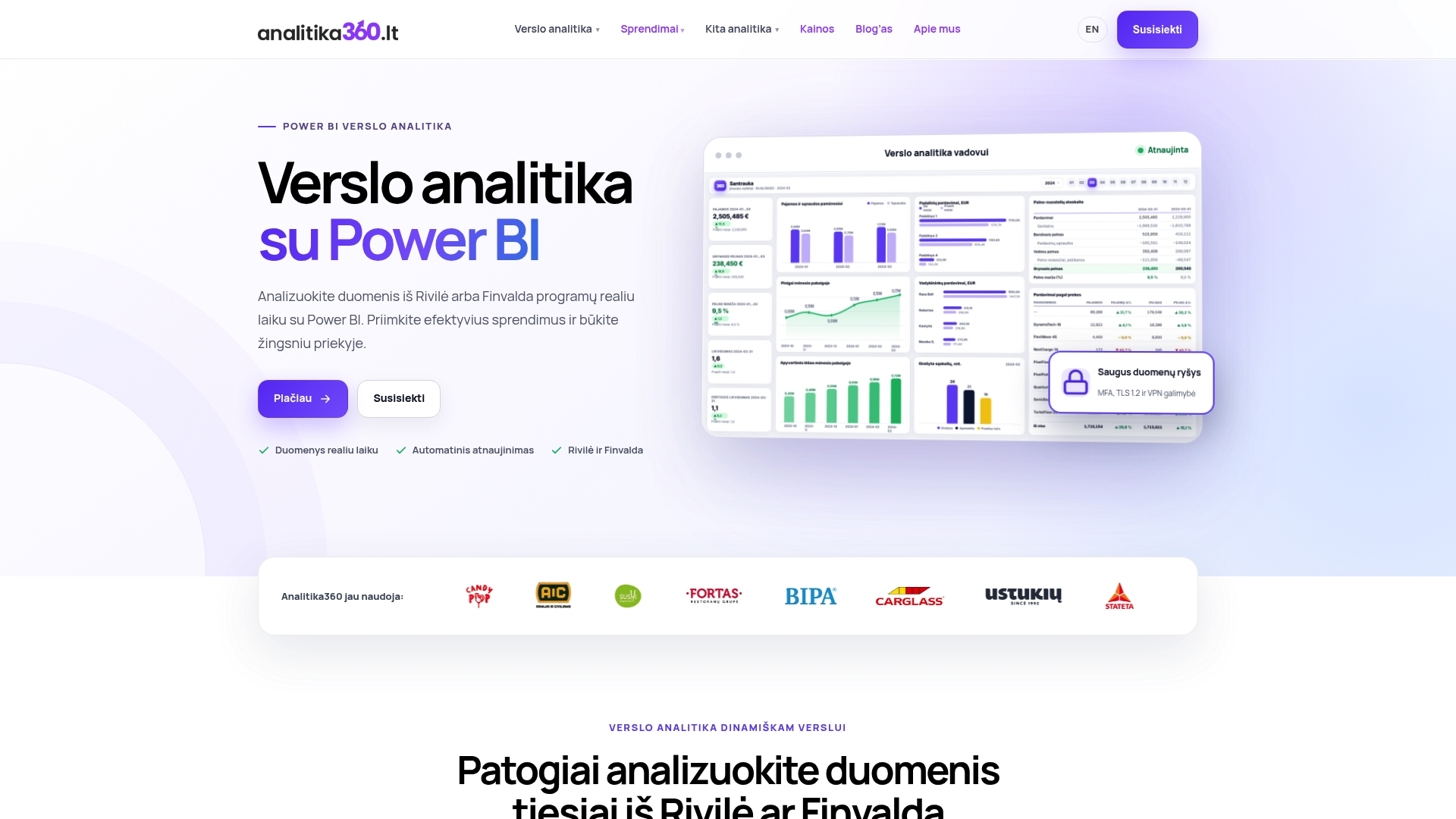
Finvalda reports show the debt position, but rarely does anyone go through them manually every day. Automated Power BI reports close this gap: debt indicators refresh automatically, with no extra work for the user, and managers see them in real time, not just at month end.
In practice, this means business users can track supplier debts across all locations in a single dashboard, or get a separate debt view for each customer without additional exports to Excel.
Analitika360 solutions connect directly to the Finvalda data source and turn the debts-at-a-date, turnover and receivables settlements reports into visual, filterable Power BI dashboards. This does not remove the need for Finvalda’s automation: the two layers work together, one taking care of sending documents and the other of analysis.
What you need to know before deploying automation
Most guides to Finvalda debt management stop at a list of features: here are the reminders, here is the export, here is the integration. That is accurate, but it is not enough for someone who actually has to get the process running in a company.
One fact confirmed by the user documentation is this: the automation works only as well as the chart of accounts was set up before it was launched. Companies that skip the step of assigning receivables and payables end up with reminders that simply are not sent, and then blame the system, even though the problem lies in the source data.
A second point that is often overlooked: Finvalda’s automation and the Teisininkas.pro integration are not alternatives to each other. They are two different layers of the same process, and a company that uses only one of them loses part of the benefit.
Third: debt data becomes valuable only when you see it in context, not in isolation. A single debt figure tells you nothing without a comparison with the previous month or a link to a specific customer segment.
— Analitika360
Ready-built Power BI packages for Finvalda users
If you check debt reports in Finvalda manually several times a week, it is worth working out how much time that takes up over a year. Analitika360 offers an alternative: ready-built Power BI report packages that automatically refresh debt, sales and profit indicators directly from Finvalda data, without exporting to Excel every week.
The Finvalda Basic plan (€59 a month) suits companies that need a basic overview of income, expenses and debts in a single report. The Finvalda PRO plan (€89 a month) is designed for larger companies or accounting firms that need detailed receivables and payables reports for several locations or clients at once.
If a standard package does not fit the specifics of your processes, a bespoke project (€70 an hour) lets you tailor the reports to your chart of accounts and existing IT systems. To see how this works with your Finvalda data, get in touch to arrange a demo via the Analitika360 website.
Frequently asked questions
Can Finvalda send debt reminders automatically?
Yes. Finvalda automatically generates and sends debt reconciliation statements and reminders based on the filters you set, with no manual intervention from the accountant. Filters can be tailored by the age of the debt, the amount or the customer group.
How do the debt features of Finvalda WEB, MAXI and Finance PRO differ?
Finvalda WEB provides basic reports and export, Finvalda MAXI adds automatic calculation of late-payment interest and a broader package, and Finance PRO adds mobile cash flow reports with reminders.
When is it worth connecting Teisininkas.pro to Finvalda?
It is worth connecting Teisininkas.pro when a customer ignores two or three Finvalda reminders in a row. The integration takes over the debt case from monitoring through to legal recovery when standard automation fails.
Which account group is used for receivables and payables?
Account group 241 is used for receivables and group 443 for payables. This assignment is specified in the Finvalda WEB user guide and is essential for the automation to identify debts correctly.
How much do Power BI reports cost for Finvalda users?
Analitika360 offers the Finvalda Basic plan for €59 a month and the Finvalda PRO plan for €89 a month. Bespoke projects cost €70 an hour.