
Power BI scheduled refresh: limits and settings

Yes, Power BI supports scheduled refresh, but how many refreshes you get depends on your licence: the Pro plan allows up to 8 refreshes a day, while Premium, PPU and Fabric capacities allow considerably more scheduled refreshes per day. When connecting to on-premises data sources (Rivilė, Finvalda, local SQL databases), you will usually also need an on‑premises data gateway. Below you will find the specific UI and API steps for setting up the schedule yourself.
In brief:
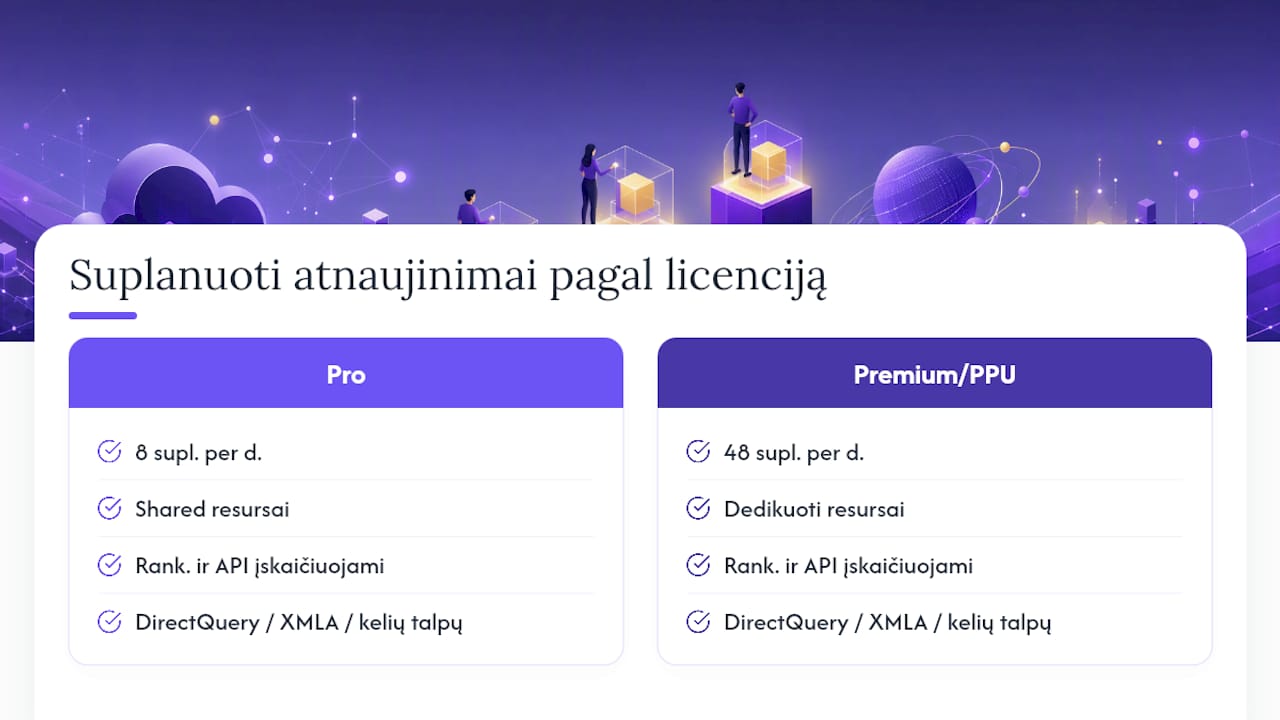
- Power BI Pro allows up to 8 scheduled refreshes a day, while Premium, PPU and Fabric capacities raise this limit to 48.
- Connecting to on-premises data sources usually requires an on-premises data gateway, whereas cloud-based systems do not need one.
- If refreshes are delayed or fail, the usual culprits are an outdated gateway, increased load or a dataset that has been inactive for more than two months.
- The schedule can be changed programmatically using the Power BI REST API, specifying days, times and notification options.
- Analitika360 provides automatic refresh implementation and management services, offering ready-built solutions with a pre-configured gateway and monitoring.
Contents
- How to configure scheduled refresh in the Power BI portal
- Licences and limits: what you need to know when scheduling refreshes
- Data gateway: when you need one and which configuration to choose
- Best practice for scheduled refreshes
- Common errors and quick fixes
- API and automation: managing refreshSchedule programmatically
- Analitika360 in practice: how we implement a reliable refresh process
- Editorial perspective: when automating refreshes becomes a business change
- How Analitika360 can help you run scheduled refreshes without supervision
- Sources
- Frequently asked questions
How to configure scheduled refresh in the Power BI portal
Scheduling a Power BI refresh starts not in the report but in the dataset settings. Go to the Power BI Service, open the workspace where the dataset is stored and find it in the list.
- Click the three dots next to the dataset name and select Settings.
- In the Scheduled refresh section, turn on the toggle and choose the frequency: once a day or several times a day.
- Set the time zone (important if the server and users are in different regions) and the specific times at which the refresh should run.
- Add an email address for failure notifications (the
notifyOptionvalue at API level), or choose to notify only the dataset owner. - If the data source is a large table with a constantly growing history, enable an incremental refresh policy. It refreshes only new or changed data partitions, so refresh times can be cut by several tens of minutes compared with a full refresh.
Before confirming the schedule, click Refresh now and wait for the process to finish. Then check Refresh history, where you can see the duration and any errors. This single test uncovers most credential or gateway problems before they start recurring automatically every night.
Licences and limits: what you need to know when scheduling refreshes
The Pro licence limit is fixed and clear: 8 scheduled refreshes a day per dataset. Premium, Premium Per User (PPU) and Fabric capacities raise this to 48 a day, in practice allowing data to be refreshed every 30 minutes throughout the working day.
Execution time also differs. In a shared capacity environment, a refresh has a time limit after which the process is terminated if the volume of data is too large. In Premium capacities this limit is higher, because resources are dedicated rather than shared with other tenants.
If 48 refreshes a day are not enough, the answer is usually not “more scheduled refreshes” but a change of architecture: DirectQuery, using XMLA endpoints or distributing several capacities across departments. It is worth remembering that both manually triggered refreshes and refreshes called via the REST API count towards the same daily limits, not separately.
Data gateway: when you need one and which configuration to choose
An on‑premises data gateway is needed whenever Power BI connects to data that is not physically in the cloud, or to sources on a private network. Typical cases for businesses in Lithuania: a locally installed Rivilė database, a Finvalda SQL server on the office network, or a file server holding Excel reports.
When choosing a configuration, bear in mind these differences:
- Personal gateway suits a single author and import operations only, with no option to share with colleagues.
- Standard gateway is managed centrally, supports multiple users and is suitable for company-wide deployment.
- VNet gateway is used when the data sits in an Azure virtual network, and removes the need to manage a physical virtual machine.
Pro tip: If you have both Import and DirectQuery models, keep them on separate gateway clusters. A single overloaded DirectQuery connection can slow down import refreshes across the whole organisation.
Larger organisations should plan gateway clustering in advance, as several virtual machines for one gateway reduce the risk of a single device failing. This is planned at the start of the implementation, together with the Power BI implementation strategy, rather than bolted on later as a fix.
Best practice for scheduled refreshes
A refresh strategy that runs reliably for years usually rests on four principles.
- Use incremental refresh for all tables that have a date column and grow daily, not just the largest fact tables.
- Spread refresh times across the day rather than scheduling them all for 8 am — this reduces capacity load just as users start work.
- Enable email failure notifications for every critical dataset, rather than trusting that someone will notice an empty report.
- Test the schedule periodically after every change to the data source structure, as a silently broken connection is often only noticed a week later.
One frequently underestimated fact: Power BI aims to start a scheduled refresh within 15 minutes of the set time, but when resources are short the delay can be up to an hour. If a dataset has not been used for more than two months, its scheduled refresh may be paused automatically. This “silent” pause is one of the most common reasons a manager sees out-of-date figures and cannot understand why.
Common errors and quick fixes
When a refresh fails, the IT team should check the causes in this order, as it reflects how often each error actually occurs.
- Check the gateway status. If the gateway is offline or the credentials have expired, the refresh will fail immediately. After changing credentials there may be a delay of several hours due to login caching, so do not expect the fix to take effect within a minute.
- Open Refresh history. The detailed error message often points to a specific column, a connection timeout or a permissions problem that the generic notification does not show.
- Assess capacity load. If several datasets refresh at the same time in a Premium capacity, refreshes are queued and take longer than usual.
- Temporarily disable the schedule if the source is being repaired, and after the fix run Refresh now to check before re-enabling the automatic schedule.
API and automation: managing refreshSchedule programmatically
The Power BI REST API lets you change the schedule programmatically through a PATCH request to the refreshSchedule endpoint. The request can specify days, times, enabled, localTimeZoneId and notifyOption values, so the entire schedule can be rewritten without the portal interface.
DirectQuery and LiveConnection models use a separate endpoint, where the frequency is set in minutes: 15, 30, 60, 120 or 180. This is useful when a dataset needs refreshing less often than the standard Import limit would allow, for example once a month via a Power Automate flow. Calling the API requires dataset owner rights or an appropriate workspace role, so building automation scenarios is best left to someone with administrative access.
Analitika360 in practice: how we implement a reliable refresh process
When implementing Power BI solutions for clients whose data is held in Rivilė or Finvalda, the process usually follows one pattern: first a standard mode gateway is installed on the office network, then incremental refresh is enabled in the models for the largest tables, after which the schedule is tested for several days before automatic monitoring with failure notifications is switched on.
For restaurant chains and logistics companies, where sales data changes several times a day, we often choose a denser refresh schedule during working hours and a sparser one at night. For accountancy firms working with Finvalda integration, a single refresh in the morning is enough, as data in the accounting system changes less often. In every case the goal is the same: for the report to refresh by itself, not after someone clicks a button.

Editorial perspective: when automating refreshes becomes a business change
An automated refresh schedule stops being merely a technical convenience once decision-making starts to rely on out-of-date figures. If a company is approaching the Pro licence limit of 8 refreshes or has several departments that need different frequencies, that is a signal to review its capacity strategy and centralised gateway management, rather than patiently waiting for the next limit.
— Analitika360
How Analitika360 can help you run scheduled refreshes without supervision
There is both general Power BI implementation and ready-built report packages with automatic refresh, integrated directly with the Rivilė or Finvalda database.
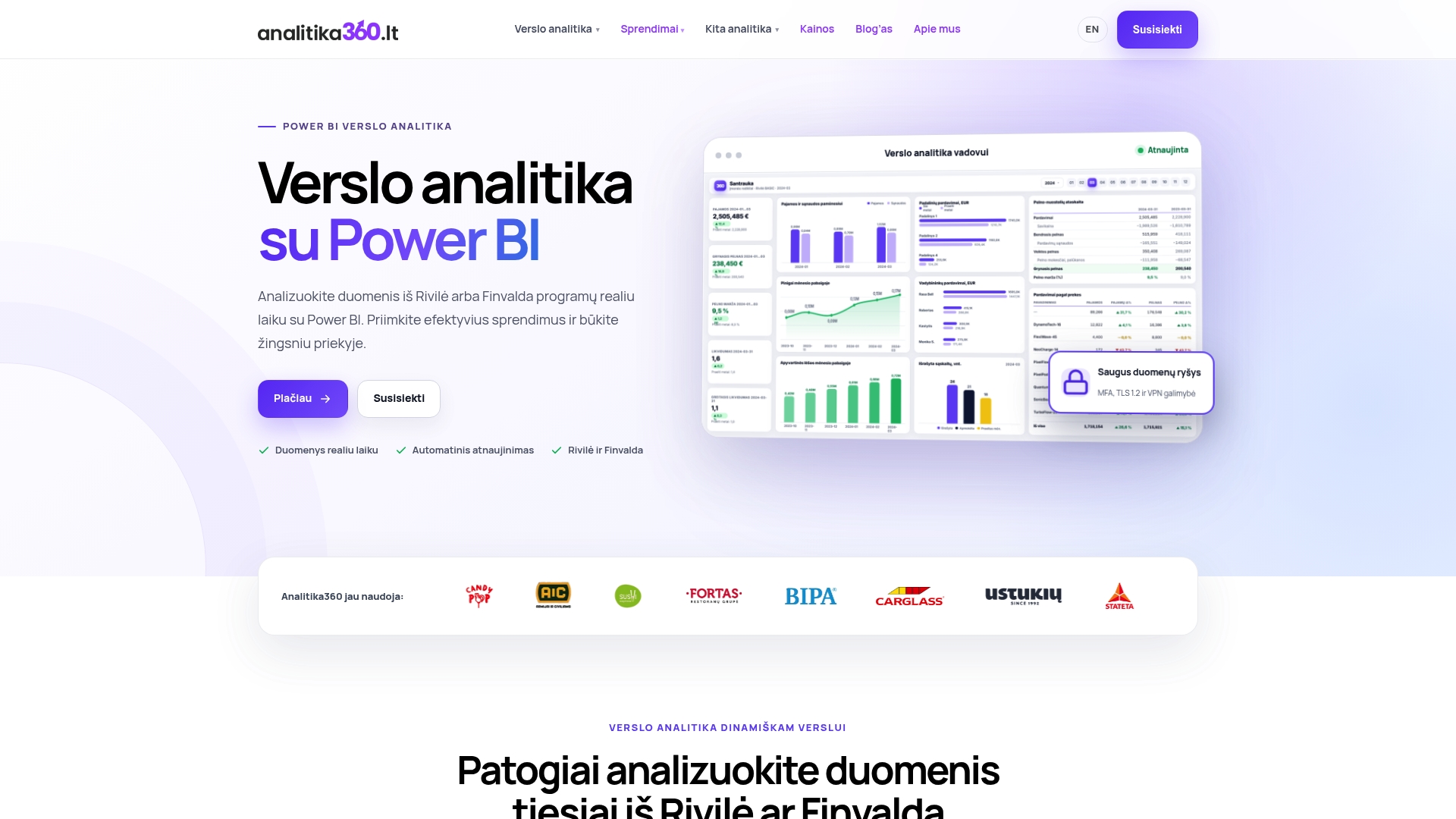
This means you do not have to configure the gateway mode, incremental refresh policy or failure notifications yourselves. During implementation the team configures the schedule, checks the data sources and switches on monitoring, so that the report shows revenue, costs and profit in real time without a single extra click. For some companies this means less time spent handling files and more time for strategic decisions. Browse our business analytics solutions by sector or get in touch via the Power BI implementation page to find out which configuration would suit your data sources.
Frequently asked questions
How many scheduled refreshes a day does Power BI Pro allow?
The Pro licence allows up to 8 scheduled refreshes a day per dataset, while Premium, PPU and Fabric capacities raise this limit to 48.
Does scheduled refresh always need a data gateway?
A gateway is only needed when connecting to on-premises or private network sources, such as Rivilė or Finvalda servers in the office; cloud-based sources do not need one.
Why is a scheduled refresh delayed or not starting?
The most common causes are expired gateway credentials, capacity load at the same time, or a dataset that has been inactive for more than two months, in which case Power BI automatically pauses the schedule.
How do I change the refresh schedule programmatically?
Use a REST API PATCH request to the refreshSchedule endpoint, where you can set the days, times, frequency and notification options.
Does Analitika360 help configure automatic refreshes?
Yes, Analitika360 implements ready-built Power BI report packages with a pre-configured gateway, incremental refresh and error monitoring, integrated with Rivilė or Finvalda data.