Your business in 360°
Rivilė Firebird Data in Power BI: Connecting and Refreshing

There are two technical routes for connecting Rivilė data to Power BI. If your database runs on a Firebird server, you connect through an ODBC driver. If you use Rivilė ERP in the cloud, the data comes through an API designed for analytics. The connection itself takes a few hours. Everything else takes more work: the data model, automatic refresh, access permissions and maintenance after every update. That is why, for most restaurants, accounting firms and small businesses, the quickest route is a ready-built Rivilė and Power BI report package that refreshes without any input from you. One such package is Analitika360 Rivilė Basic at €59 a month.
In brief
- Firebird and Power BI connect via ODBC: the driver is installed on the same computer as Power BI Desktop, and its 32-bit or 64-bit version must match your version of Power BI.
- Rivilė ERP in the cloud provides analytics data through an API with a session token, so there is no need to connect directly to the database.
- For automatic refresh in the Power BI Service, a local data source needs a data gateway, which must be running and kept up to date.
- The biggest risks are an exposed path to the database file, saved incorrect login credentials and overly heavy visuals.
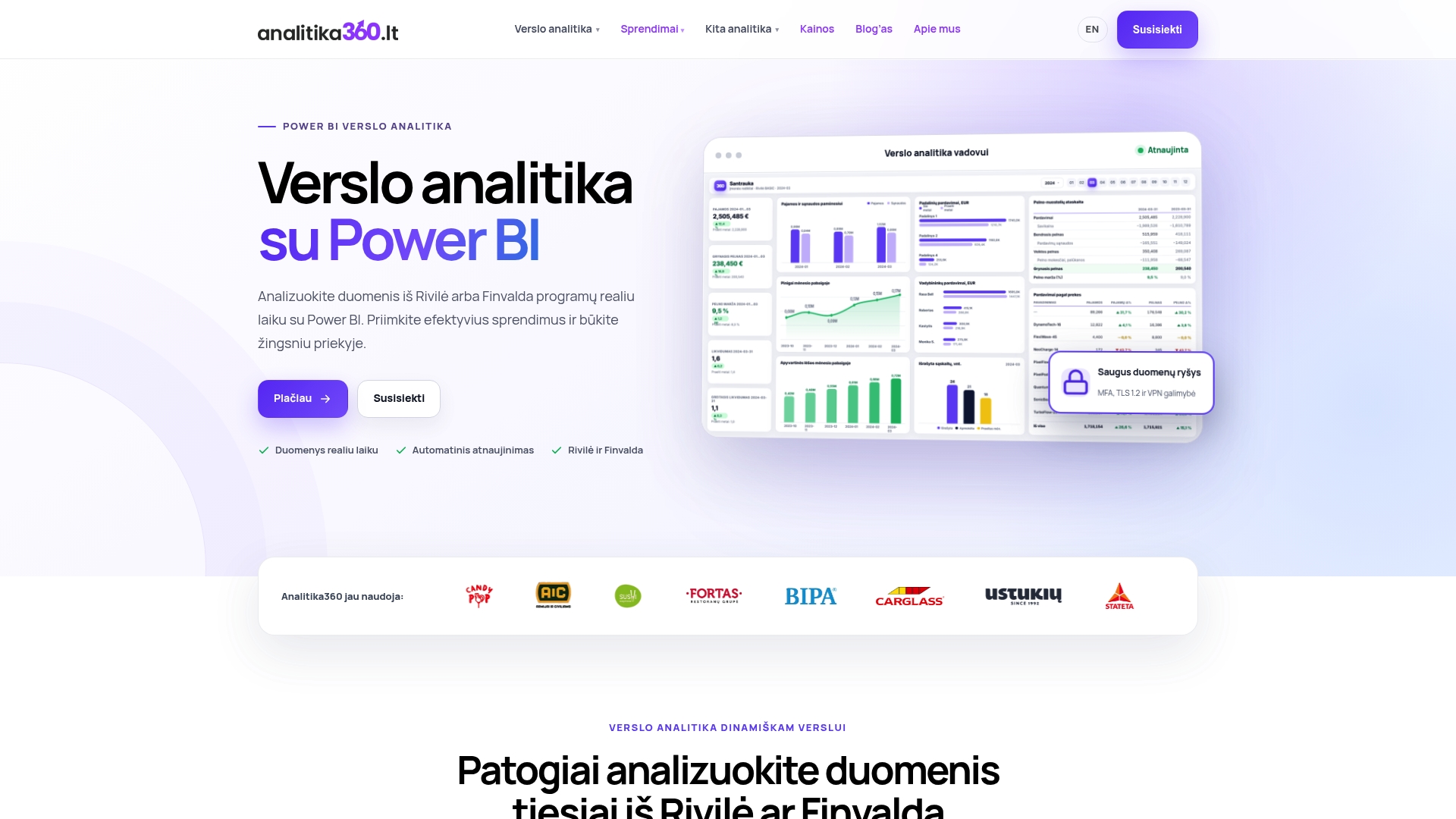
- A ready-built package lets you skip all of this: you see revenue, expenses, profit, debts and inventory straight away, and the reports refresh by themselves.
Contents
- Two routes from Rivilė to Power BI
- What you need before connecting Firebird
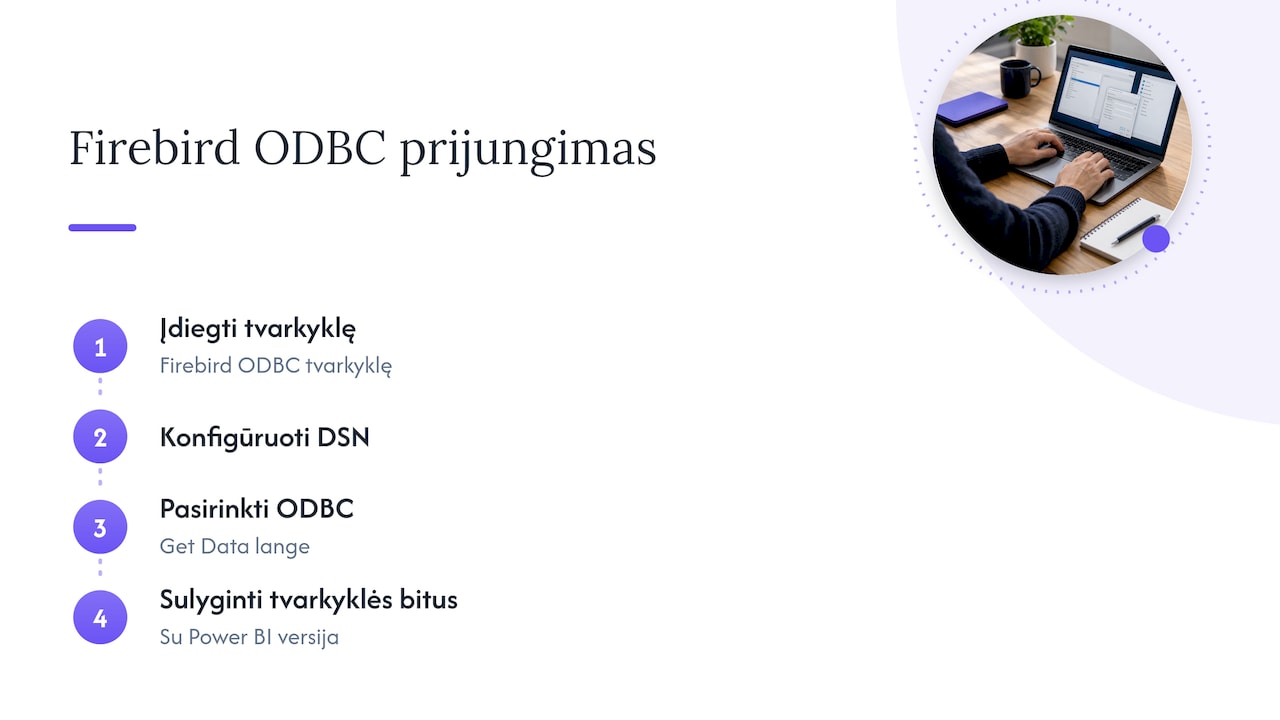
- Connecting step by step
- How to prepare the data for reporting
- Automatic refresh: Desktop and Service
- Security and the most common errors
- Ready-built Rivilė reports without the set-up hassle
- Our view
- FAQ
- Sources
Two routes from Rivilė to Power BI
Power BI Desktop has generic interfaces through which you can connect to any third-party ODBC driver by specifying a DSN or a connection string. You can also connect via OLE DB, OData or a REST API. This is confirmed by the Microsoft Power Query documentation. A DSN (Data Source Name) is a connection definition saved on the computer: the server address, the database path and the user.
Rivilė ERP users have a separate route. The Rivilė ERP guide states that data sources intended for analytics are accessed with the request GET https://api.rivile.cloud/bi/collect, using an X-SessionToken header and a filter. The same guide recommends date parameters, incremental refresh and a star schema.
| Criterion | ODBC to Firebird | Rivilė ERP API | Analitika360 package |
|---|---|---|---|
| Suitable for | A local Rivilė database | Rivilė ERP in the cloud | Rivilė and Finvalda users |
| What you need to install | ODBC driver, DSN, gateway | Session token management, Power Query queries | Nothing extra: we deploy the solution |
| Data model | You build it yourself | You build it yourself | Ready-built for revenue, expenses, profit, balance sheet, debts and inventory reports |
| Refresh | You configure and maintain it yourself | You configure and maintain it yourself | Automatic, with no user input |
| Cost | Your time or an IT specialist’s | Your time or an IT specialist’s | From €59 a month |
What you need before connecting Firebird
Before you open Power BI, check four things. These are what most often decide whether the connection works first time.
- Firebird version. The official Firebird 5 Quick Start Guide states that Firebird 5 opens Firebird 4 databases but does not open databases created with Firebird 3 or earlier. Before upgrading the server, you must back up all your databases. The driver must match your server version.
- Driver bitness. A mismatch between a 32-bit or 64-bit driver and the Power BI version is one of the most common mistakes. Current Power BI Desktop is 64-bit, so the driver must be 64-bit too.
- A separate read-only user. Power BI does not need write permissions. Create a user that can only read the tables required.
- A computer that is always on. If you want your reports to refresh overnight, the gateway must run on a computer or server that is not switched off at that time.
Connecting step by step
Below is the general sequence for connecting to Firebird via ODBC. Each step notes where people most often go wrong.
- Install the ODBC driver on the same computer that runs Power BI Desktop. Mistake: the driver is installed on the server, while Power BI runs on the accountant’s computer.
- Configure the DSN in the Windows ODBC Administrator: specify the server, the database file path and the user. Always test the connection. Mistake: using an administrator account with full permissions.
- In Power BI Desktop, choose Get Data → ODBC and find your DSN in the list.
- Enter the password. If you make a mistake, cancel the connection and correct the details under Options → Settings → Data source settings. Otherwise Power BI will keep using the saved incorrect credentials.
- Select the tables in the Navigator window and click Load or Transform Data. Mistake: loading every table with every column. The model bloats and refreshes take hours.
These steps are where most of the time goes, because you need to know which Rivilė tables hold sales, purchases, balances and debts. In Analitika360 packages this work has already been done: we prepare the data sources and their relationships, and you get working reports.
How to prepare the data for reporting
A connection is not yet a report. The Rivilė ERP guide lists the most commonly used analytics sources: SALES_INVOICE_DETAILED (detailed sales invoices), PURCHASE_INVOICE_DETAILED (purchase invoices), INVENTORY_STOCK (stock balances), PAYABLE_RECEIVABLES_FLAT (debts), GENERAL_LEDGER (general ledger), PAYMENTS, CLIENT, PRODUCT and PRICE. The guide advises always obtaining the exact list of sources and the field schema via GET /bi/schemas/, because the structure may change.
To keep reports fast and accurate, follow three principles:
- Star schema. Fact tables (sales, purchases, general ledger entries) sit at the centre, surrounded by dimensions (customers, products, dates, departments). This prevents calculations from being duplicated.
- Date parameters. Load only the period you need, for example the last three years. We explain how in our article on parameterised Power BI reports.
- Incremental refresh. Only new or changed records are reloaded, not the entire history. Read more in our guide to setting up incremental refresh in Power BI.
If some of your data lives in Excel files, such as budgets or restaurant shift plans, it can be combined into the same model. We show how in our article on combining Rivilė, Excel and Power BI data.
Automatic refresh: Desktop and Service
Power BI Desktop refreshes data only when you click Refresh. For a manager or accountant to see yesterday’s revenue in the morning, the report has to be published to the Power BI Service and a scheduled refresh set up.
For a local Firebird database, this requires an on-premises data gateway. This is software that securely transfers data from your network to the cloud. The Power BI security white paper states that the gateway encrypts credentials using RSA and AES algorithms, and the Power BI Service never sees the decrypted data. For refresh to work, you must:
- install the gateway on a computer that has the same ODBC driver and DSN;
- assign the data source to the gateway in the Power BI Service and enter the credentials;
- enable scheduled refresh in the semantic model settings and choose a time;
- keep the gateway version up to date, as an outdated version may stop working.
With the Analitika360 solution, reports refresh automatically with no extra work from the user. You do not need to keep an eye on the gateway, passwords or failed refresh notifications.
Security and the most common errors
The Firebird documentation warns that anyone with file-system-level read access to the database file can copy it and extract all the data. So:
- do not expose the Firebird server to the internet, and restrict access to the .fdb file;
- schedule backups with the gbak or nbackup tools. These can be run even while users are working;
- use a read-only user for Power BI.
If a report stops refreshing, the Microsoft troubleshooting guide lists the most common causes:
- the data source is unavailable: the server is switched off, the file has been moved or renamed, or permissions have changed;
- the user lacks the necessary permissions;
- a visual exceeds resource limits. Filters, fewer fields and aggregated data help;
- fields used by a visual have been deleted or renamed in the semantic model.
Ready-built Rivilė reports without the set-up hassle
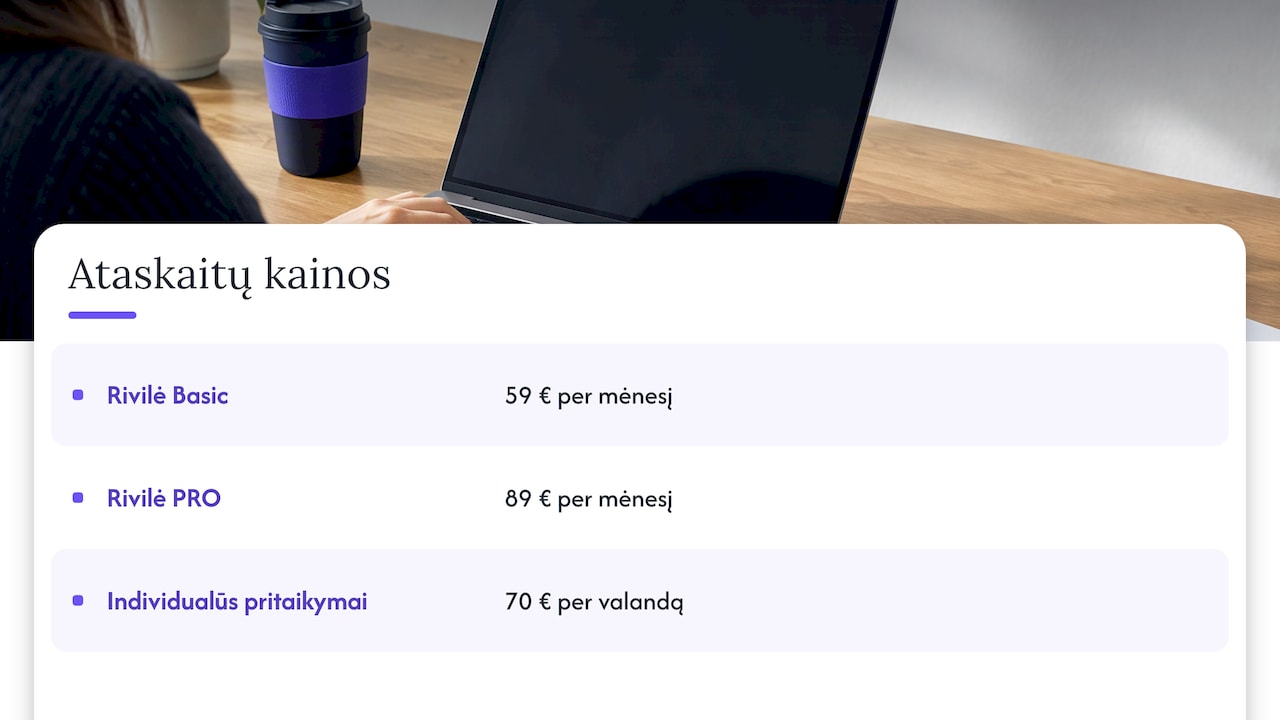
If your goal is to see revenue, expenses, profit, debts and inventory rather than look after drivers, choose a ready-built package. Rivilė Basic costs €59 a month and Rivilė PRO costs €89 a month. The reports refresh automatically, and the data can be combined with SharePoint, Excel, CRM or logistics systems into a single Power BI model.
If your processes are non-standard, for example you run a restaurant chain or construction projects, we tailor the solution individually at €70 an hour. All prices and Microsoft licensing options are set out on the business analytics pricing page.
Our view
Integrating Rivilė with Power BI is only worthwhile when the reports are correct every day and nobody has to fix them. Connecting to Firebird is the easiest part. The value comes from a data model that correctly links sales, purchases, the general ledger and debts, and from automatic refresh that works without human intervention.
That is why our report sets for Rivilė and Finvalda users are built in advance and refresh automatically. The manager of a restaurant chain sees profit in real time, and the accountant gets the debts report without exporting to Excel. When a company needs more, we connect other sources and tailor the solution to its processes and existing IT systems.
The time you would spend on drivers and gateways is better spent on the decisions those reports are meant to make easier.
Analitika360
FAQ
Does Power BI have a dedicated Firebird connector?
Power BI connects to Firebird through the generic ODBC interface. You need to install the Firebird ODBC driver and configure a DSN, then choose ODBC in the Get Data window. The driver’s bitness must match your Power BI version.
Can I connect to Rivilė ERP in the cloud without Firebird?
Yes. Rivilė ERP provides analytics data through the /bi/collect API request with a session token. You should obtain the field schema via /bi/schemas/, because the list of sources may change.
Why does the Power BI Service not refresh Firebird data?
Most often the data gateway is not running or is out of date, the gateway computer does not have the same ODBC driver or DSN, or the password has changed. Check the gateway status and the data source credentials in the Power BI Service.
How much do ready-built Rivilė reports in Power BI cost?
Analitika360 Rivilė Basic costs €59 a month and Rivilė PRO costs €89 a month. Custom tailoring costs €70 an hour. You can find out more about what the packages include on the page about Rivilė, Finvalda and Power BI packages.
Sources
Microsoft: Connect to data using generic interfaces (Power Query) Rivilė ERP guide: analytics, reporting and data export Firebird 5 Quick Start Guide Microsoft: Power BI security white paper Microsoft: Troubleshoot Power BI tile refresh errors