
Hours Saved Every Week: Rivilė Debt Management and Analitika360 for Accountants

Rivilė GAMA lets you view outstanding balances, analyse debt ageing by due date, generate payment reminders and reconciliation statements, and automate debt offsetting. To make this work, a few parameters need to be configured properly: the account linkage table, the system’s reminder threshold for small currency rounding differences, and the uniqueness of document numbers. In this article you will find the steps for getting these settings right, which reports to read and how to turn debt data into management decisions with Power BI.
In brief:
- For the system to work reliably, document number uniqueness, the account linkage table and the reminder threshold all need to be configured correctly.
- Automatic debt offsetting only works if the parameter is activated on the customer card and document numbers are unique across the entire database.
- Payment reminders and reconciliation statements can be generated and sent automatically or manually, depending on your settings and needs.
- The key point: reports should be reviewed regularly, paying attention to growing balances, debts more than 90 days overdue and bad debts, so as to save resources.
- Data analysis and trends can be made far more reliable and automated by connecting Power BI to the Rivilė database, saving a great deal of manual work.
Contents
- Overview of the debt module: key functions and day-to-day operations
- Payment reminders and reconciliation statements: how to configure and send them
- Automatic debt offsetting: configuration and the most common errors
- Debt reports and ageing analysis: which reports to use and how to interpret them
- Training and resources: Rivilė Academy and practical lessons
- A practical perspective: how Analitika360 complements Rivilė and automates debt analysis with Power BI
- Legal aspects and requirements for debt management in Lithuania
- How to integrate the Rivilė debt module with other systems
- Common problems with the Rivilė debt module and how to solve them
- The Analitika360 perspective: the most common mistakes when implementing debt reports
- A brief offer: automated debt analytics with Analitika360
- Sources
Overview of the debt module: key functions and day-to-day operations
The Rivilė GAMA debt module handles receivables and payables in one place. The system shows outstanding balances, calculates ageing against payment terms and lets you offset debts manually or automatically, linking specific documents such as invoices and payments to each transaction.
For day-to-day work, accountants rely on three main reports:
- Detailed debt report — shows every unpaid document with its due date and amount.
- Summary debt report — totals debts by customer or supplier, handy for a quick review.
- Customer status report — shows the credit limit, current balance and payment history on a single card.
Manual offsetting is the right choice when a specific payment needs to be allocated to a specific invoice, for example when a customer pays in part or states which invoice they are settling. Automatic offsetting is better suited to situations with a high volume of payments and a consistent document sequence, such as retail or service businesses with regular billing. Reviewing the card helps you quickly check that all related invoices and payments are correctly matched before an error becomes systemic.
Payment reminders and reconciliation statements: how to configure and send them
The receivables and payables module lets you generate payment reminders and reconciliation statements in three ways, and the choice depends on how much automation you need:
- Create and send later — the document is created, but you review it and send it yourself when convenient.
- Create and send immediately — useful for one-off reminders to a particular customer.
- Scheduled automatic sending — the system generates and sends reminders itself through the task scheduler on a set timetable.
System reminders are generated automatically when the amount of at least one overdue document exceeds a set minimum threshold, which by default is a few euros. The threshold is there so that the system does not send reminders over small currency rounding differences. If the threshold does not suit your business, it is adjusted together with your system administrator, because it is changed in a global parameter rather than for each customer individually.
Export templates let you format reminder letters in your company’s house style, while WEB import is useful when customer data is updated from an external source.
Expert tip: Before switching on scheduled automatic sending, review a test group of customers manually for at least one cycle. This exposes incorrect email addresses or duplicate customer records that would otherwise go unnoticed until customers start ringing with questions.
Automatic debt offsetting: configuration and the most common errors
Automatic debt offsetting works by carrying payment, purchase and sales transactions forward so that an old debt is closed automatically by a new document. For the function to work, three things need to be in place:
- Activate the “Automatic debt offsetting” field on the customer card.
- Specify an intermediate offsetting account in the account linkage table.
- Choose one of the values: “Do not use”, “Selected documents” or “All documents”.
The system itself chooses which transaction to use for offsetting based on chronological order and amount, and overpayments automatically remain on the customer card as prepayments until a new debt arises to allocate them to.
The biggest mistake in practice is duplicate document numbers. If two documents share the same numbering sequence, offsetting may allocate a payment to the wrong invoice. Before switching the function on live, check that document numbering is unique across the whole system.
Expert tip: Test automatic offsetting with a small group of customers for at least one billing cycle, and filter your reports to that group only until you are satisfied the results meet expectations.
Debt reports and ageing analysis: which reports to use and how to interpret them
For day-to-day work, three filters are enough: period, customer group and ageing bracket (for example, 0–30, 31–60, 61–90 days). The detailed report suits checking a specific invoice, the summary report a quick customer overview, and the customer status report credit limit decisions.
When interpreting the results, several signals indicate that action is needed:
- A customer whose balance has grown steadily for three months or more is best moved into a high-risk group and given a reduced credit limit.
- A debt more than 90 days overdue with no response to reminders is usually passed on for collection.
- A bad debt is written off only once documentary evidence has been gathered, such as correspondence or a court judgment.
A periodic balance confirmation, carried out at least once a quarter, helps spot discrepancies between the accounting records and the customer’s actual position before they grow into a bigger problem.
Training and resources: Rivilė Academy and practical lessons
Rivilė Academy offers free online courses with video lessons, practical exercises and exams that help you learn to manage the debt module, from the basics through to automation.
The course material covers:
- Reading outstanding balance and ageing reports.
- Configuring reminders and reconciliation statements.
- Setting up and testing automatic offsetting.
Online courses are a good fit when you need to get a new accountant up to speed with the system quickly, or to refresh your own memory of a rarely used function. In-person training is the better choice when a complex configuration is being rolled out across several departments at once, as a live conversation with an instructor resolves individual questions faster.
After training, it is worth running a test scenario: create a test customer, simulate a late payment and check that the reminder is generated correctly. A further audit step, a month after go-live, is to compare the reports against a manual calculation to make sure the automation is working reliably.
A practical perspective: how Analitika360 complements Rivilė and automates debt analysis with Power BI
Rivilė GAMA holds all the debt data you need, yet most accountants still export it to Excel by hand every week. This is where automation comes in: Power BI reports connected to Rivilė data show debt ageing, risk indices and customer payment behaviour in real time, with no additional manual work.
Implementation typically runs as follows:
- Data integration with the Rivilė database and, if needed, additional sources such as SharePoint or a CRM.
- Data cleansing, including a check on document number uniqueness, which directly determines offsetting accuracy.
- Report automation, so that the figures refresh without any further action by the user.
Clients who previously spent several hours a week preparing the report save that time entirely after implementation, because the report refreshes automatically every night.
Expert tip: Before integrating data into Power BI, sort out document numbering uniqueness in Rivilė first. Messy numbering carries over into the analytics and distorts the debt ageing calculations.
Legal aspects and requirements for debt management in Lithuania
Lithuanian accounting law does not prescribe any particular software for debt accounting, but it does require a company’s accounting documents to comply with the provisions of the Law on Accounting and the Law on Corporate Income Tax on recognising doubtful and bad debts. Rivilė GAMA does not itself assess the legal status of a debt, but the accountant uses the data it holds, such as the age of the debt and the correspondence history, to build the body of evidence for a write-off.
Debts above the threshold for recovery through the courts or arbitration usually require a formal letter of claim before legal proceedings are brought. A reconciliation statement generated in Rivilė can form part of such a claim, because it documents the balance agreed by both parties on a specific date. It is important that the statement is sent and its receipt recorded, because in the event of a dispute the burden of proof lies with the creditor.
Writing off a bad debt for tax purposes requires documentation showing that the debt has been pursued by all reasonable means: reminders, letters of claim and sometimes a court judgment or a bailiff’s certificate confirming unsuccessful recovery. Rivilė’s report archive, which keeps the history of reminders sent, becomes one source of such evidence. It is advisable to discuss specific write-off cases with a tax specialist, as the rules depend on the size and age of the debt and the status of the customer.
How to integrate the Rivilė debt module with other systems
The Rivilė GAMA database allows debt information to be exported in standard formats, so integration with banking platforms or other accounting systems usually takes place via the WEB import function or a direct database connection. Bank payment import automatically identifies the payer by account number and can offset the relevant debt directly if the invoice number given in the payment reference matches a document registered in the system.
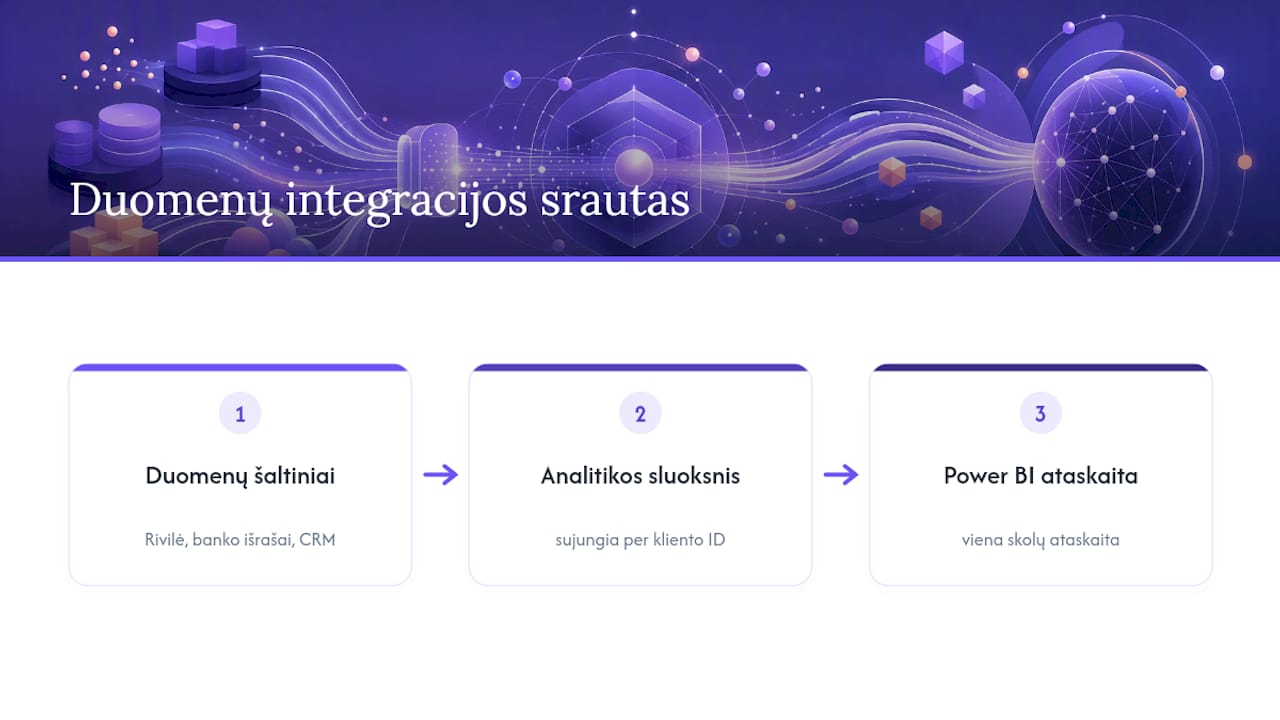
When a company uses several systems, say Rivilė for accounting and a separate CRM for sales, the key to integration is a shared customer identifier. If the customer code in Rivilė and in the CRM do not match, automatic data merging becomes unreliable and has to be corrected by hand.
For most medium-sized companies, the most practical integration route is not a direct connection between systems but an intermediate analytics layer that pulls data from Rivilė, bank statements and, if needed, the CRM into a single report. Such a solution, integrated through Power BI, for example, lets you see the state of your debts in one place without changing the systems themselves and without creating an additional risk of duplicate data.
For those who want a deeper understanding of how cash flow management works in a wider financial context, additional material on the fundamentals of financial literacy is useful, especially if the company works with foreign customers and currency translation issues arise in debt accounting.
Common problems with the Rivilė debt module and how to solve them
Most of the problems accountants run into stem not from shortcomings in the module but from incorrectly configured parameters. Practical observations from implementations at a range of companies bear this out.
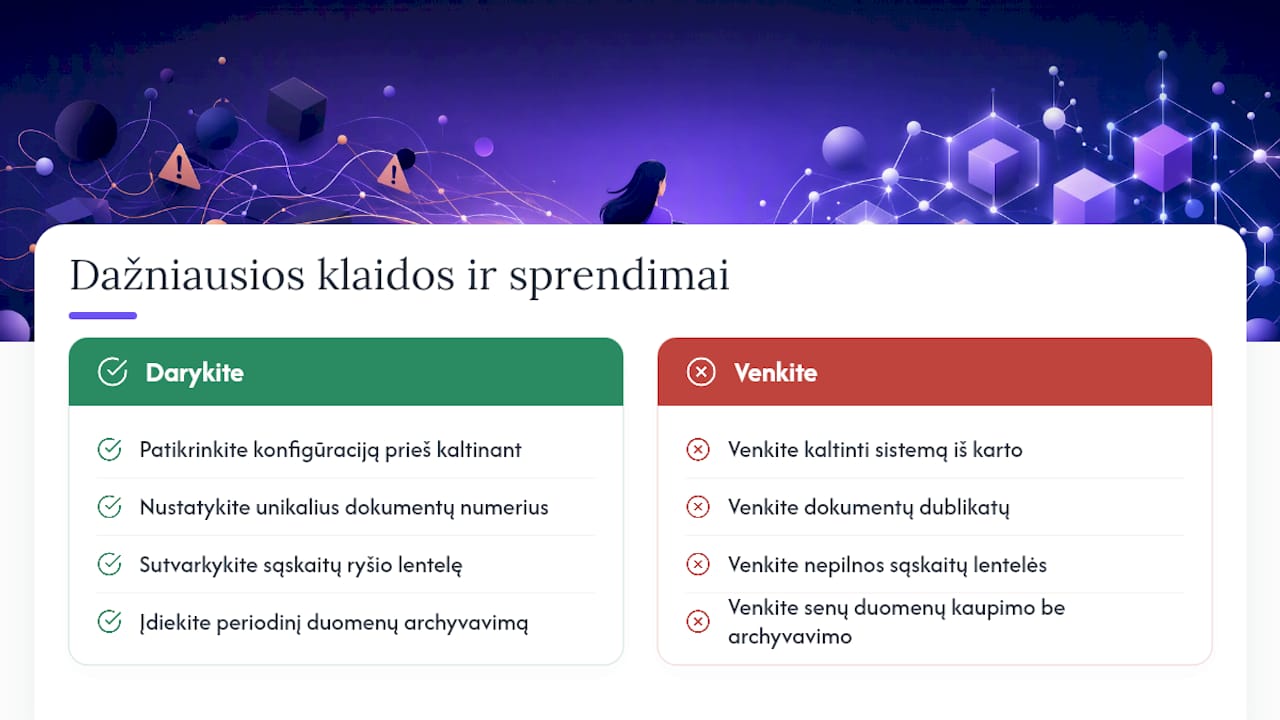
The most common problem is reminders not being sent even though there are overdue debts. The cause usually lies in a misunderstanding of the €3 threshold: if the overdue amount is lower, the system simply does not generate a reminder. Another frequent situation is automatic offsetting allocating payments incorrectly, most often caused by duplicate document numbers or an incomplete account linkage table.
A third problem, particularly at companies with many customers, is slow reports when the debt database has grown over several years without periodic archiving. The solution is to move old, already closed data to archive storage periodically, leaving only current-period transactions in the active data.
Fourth, customer card data and reconciliation statement data sometimes do not match when different users edit the same customer card at the same time. This is resolved by setting clear user permissions: who can edit a customer’s credit limit, who generates reminders and who is responsible for the offsetting configuration.
The general lesson: before blaming the system, check the configuration. A tidy account linkage table, unique document numbers and clearly defined user permissions resolve most everyday problems before they even arise.
The Analitika360 perspective: the most common mistakes when implementing debt reports
Working with Rivilė data, we most often see the same mistake: companies start automating reminders or offsetting before resolving the document numbering uniqueness problem. This leads to incorrect offsets that later have to be fixed by hand, and confidence in the automation drops.
We recommend checking three things before every implementation: document number uniqueness, completeness of the account linkage table and whether the reminder threshold suits your business model. Only after this check is it worth switching automated processes on live rather than in a test environment.
— Analitika360
A brief offer: automated debt analytics with Analitika360
Rivilė data already contains all the information you need, but turning it into reports by hand every week wastes time that could be spent on decisions. Analitika360 connects data from the Rivilė debt module to Power BI, so debt ageing, risk indices and customer payment behaviour are visible in real time, with no extra manual exports.
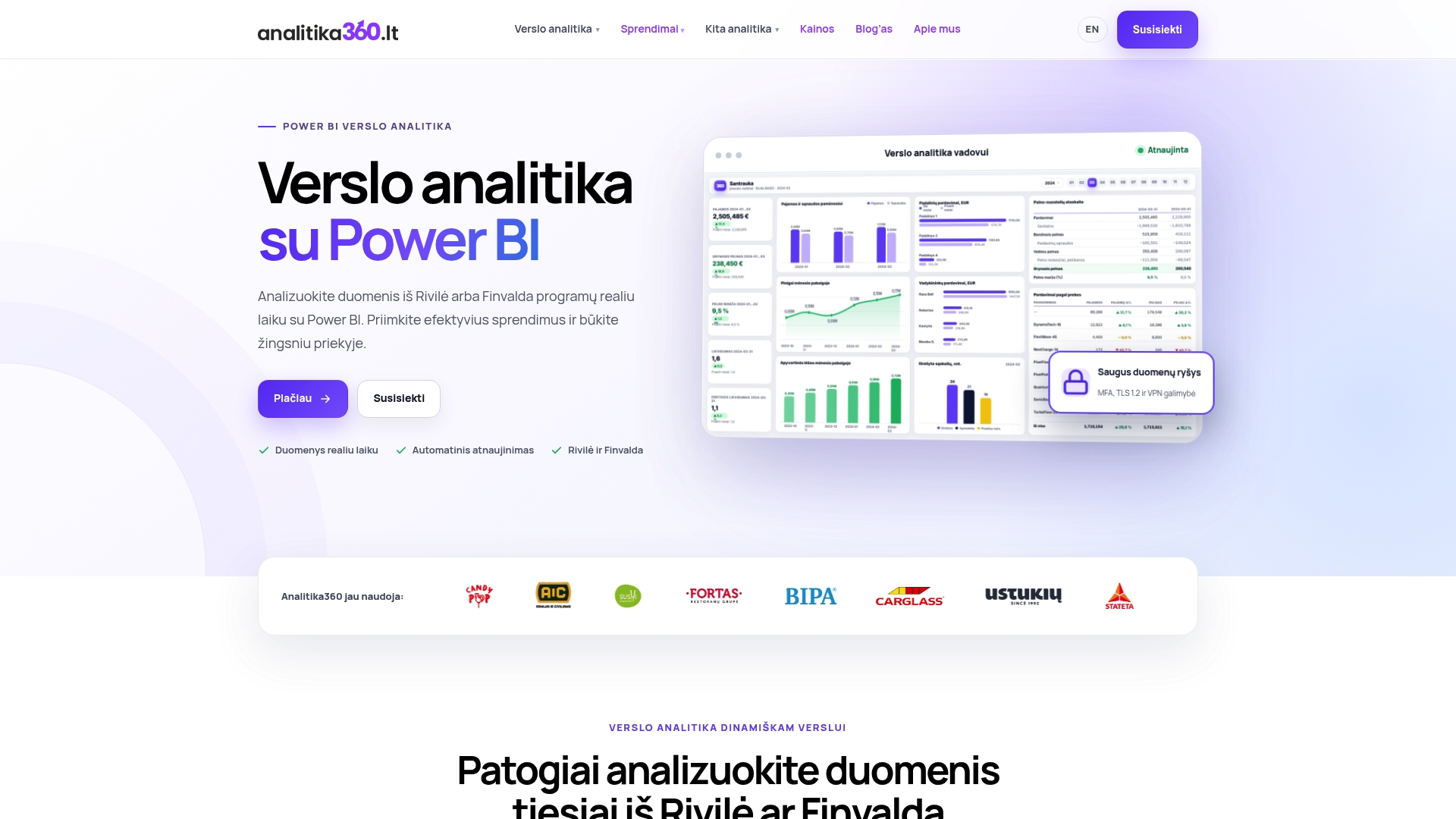
Implementation takes place in three stages: data integration with your Rivilė database, data cleansing and checking, and then report automation, after which you no longer have to lift a finger for the figures to refresh. After implementation, Analitika360 provides ongoing support should new questions or configuration changes arise.
If you would like to see how such a report would look with your own debt data, take a look at the debt analytics solution or browse all our business analytics solution packages and book a demonstration for your company.
Sources
For further practical reading, we recommend the debt section of the Rivilė ERP guide, the instructions on reminders and reconciliation statements, the description of automatic offsetting and the Rivilė Academy courses. For visualising debt data, have a look at our Power BI report examples.
- Debts - Rivilė ERP guide
- Payment reminders and reconciliation statements for customers | Rivilė GAMA guide