
SharePoint document reports in Power BI: how automated analysis works

SharePoint document reports in Power BI are automated financial reports that sync from SharePoint and OneDrive, integrate with the Rivilė or Finvalda accounting systems and refresh without manual work. For company managers, this means a single data source for tracking revenue, costs and profit in real time. The principle behind such solutions is to use ready-built report packages that save time for accountants and finance managers.
In brief:
- Automatic data refresh from SharePoint and OneDrive runs roughly every hour, but depends on the related configuration and the type of authentication.
- Refresh options for on-premises SharePoint servers are limited and depend on the authentication type; a cloud-based environment or additional infrastructure is usually required.
- Moving calculations into Power Query and using more robust data sources makes data processing more efficient and reduces the likelihood of errors.
- Automatic sync lets managers track up-to-date financial indicators in real time, whereas uploading files manually stops it.
- A ready-built solution combines accounting data and documents from SharePoint, so all indicators can be seen in a single view and unnecessary manual work is cut.
Contents
- How Power BI syncs data from SharePoint and OneDrive
- Authentication and refresh limitations in on-premises deployments
- Data preparation and performance best practice
- Integration with Rivilė and Finvalda: what a complete solution looks like
- Security and data protection: what a finance manager needs to know
- Checklist before ordering a report package
- Ready-built package or bespoke project: when to choose which
- Analitika360: how we can help
- Sources
- Frequently asked questions
How Power BI syncs data from SharePoint and OneDrive
The Power BI service automatically checks SharePoint and OneDrive files and syncs changes roughly every hour when data is imported from these sources. This means that a finance manager opening a report in the morning sees data updated within the last hour, rather than figures compiled by hand last week.
This mechanism works through a semantic model that Power BI builds from the source data. When a SharePoint list is exported, the system generates a semantic model whose name initially matches the name of the list. The model can be renamed and saved in a workspace of your choice, so the finance team can keep separate workspaces for different divisions or projects without overlapping with other teams’ data.
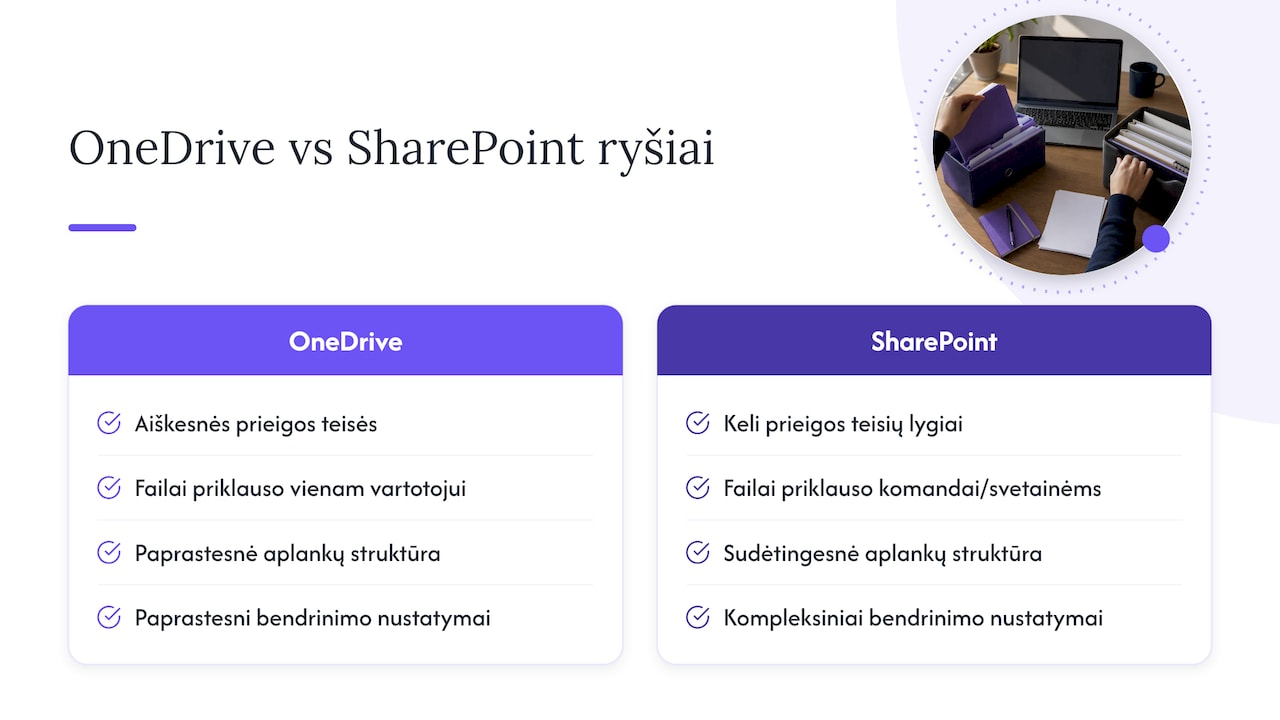
Technically, it is important to distinguish between two connection types. A OneDrive for Business configuration is usually simpler, because the files belong to a single user and access rights are clearer. A SharePoint team site connection is more complex, because a document library can have several levels of permissions, folder structures and sharing settings. Access via OneDrive for Business or SharePoint Online allows Power BI to check files roughly every hour, but linking directly to a folder is recommended rather than uploading a file manually to the workspace. A manual upload stops automatic sync and sends the manager back to the very manual work that automation was meant to eliminate.
Authentication and refresh limitations in on-premises deployments
When data is stored not in the cloud but on an on-premises SharePoint server, refresh options depend on the supported authentication type. For refreshing on-premises SharePoint sources, Power BI supports three mechanisms: Anonymous, Basic and Windows (NTLM or Kerberos). ADFS and form-based authentication are not suitable for automatic refresh, so organisations using these methods run into persistent error messages when trying to refresh a report.
In that case, you will usually need either to move to cloud-based SharePoint Online or to install additional infrastructure, such as an on-premises data gateway. Before signing a contract for a report package, it is worth asking the IT department to check the following:
- Which authentication type the existing SharePoint environment uses (Anonymous, Basic, Windows or ADFS).
- Whether the user under whose account the refresh will run has permanent read access to the required folders.
- Whether, after a test refresh in the Power BI service, the data updates without errors within the expected time window.
This check takes a few hours, but it guards against the situation where the package has already been bought and the technical environment simply does not support it.
Data preparation and performance best practice
Large Excel files or complex business logic written into the file itself can slow down the refresh and sometimes cause errors midway through the process. Experience shows that the following steps deliver the best results:
- Move calculations and business logic out of Excel formulas and into Power Query, so the file stays as “light” as possible.
- Link directly to a SharePoint or OneDrive folder rather than uploading files manually to the workspace.
- Choose the SharePoint folder connector with file-combining logic rather than several separate large .xlsx files.
- Pre-aggregate large volumes of data so that Power BI does not have to recalculate the entire archive every time.
Pro tip: If a report uses several source files, combine them with a Power Query function rather than copying them by hand into a single shared table.
It is also worth paying attention to older file formats. The Power Query documentation states that creating a semantic model directly from a SharePoint list is a quick solution, but it has functional limits, such as restrictions on numeric precision. When documents span several accounting systems or different currency formats, it is worth aligning the data structure before import so that the Power BI model does not misinterpret them.
Integration with Rivilė and Finvalda: what a complete solution looks like
What matters most to a finance manager is not the SharePoint connection itself but the end picture: revenue, costs and profit shown in a single report, drawn from the accounting system and supplemented with documents from SharePoint. Analitika360 connects such solutions so that SharePoint becomes a document repository (invoices, contracts, warehouse records), while the numerical data comes directly from Rivilė or Finvalda.
In practice, it looks like this:
- Accounting data from Rivilė or Finvalda is imported into the Power BI model automatically, without manual exports.
- SharePoint documents (for example, supplementary Excel tables with budget plans) are connected as an additional source to the same model.
- All sources are refreshed on the same schedule, so the manager sees one figure, not three different ones, for the same indicator.
The biggest practical benefit here is not the automation itself, but the end of situations where the accountant has one figure in an Excel file and the manager another, in a PDF report sent earlier. A single refreshed source means that the discussion in a meeting is about decisions, not about which figures are correct.
Restaurant chains and multi-site companies using this model typically notice time savings where the month-end close used to require several days of manual compilation into a consolidated summary.
Security and data protection: what a finance manager needs to know
Cloud-based solutions rely on a shared responsibility model. The EDPB guidelines state that the security of cloud services depends on both the provider and the organisation: the provider ensures the security of the infrastructure, while the company must configure access rights properly and document its processing activities.
Before deploying a reporting solution, a finance manager should check the following:
- Whether the contract with the provider clearly defines the processing activities, security measures and transparency commitments.
- Whether the organisation has an up-to-date record of processing activities that also covers the use of SharePoint and Power BI.
- Whether people have been appointed to review access rights when staff or their roles change.
These steps are not a formality: when a data subject requests access to their data, the organisation must be able to provide it within the set deadline, as the EDPB guidelines on the right of access state.
Checklist before ordering a report package
Before signing a contract with a provider, it is worth checking three areas:
- Technical requirements: authentication type, access rights and supported file formats.
- Data quality: a single source of truth, clear field names and a consistent date format.
- Contracts: a data processing agreement, SLA terms and a list of sub-processors.
Ready-built package or bespoke project: when to choose which
A ready-built package suits companies that need standard financial indicators quickly, without lengthy alignment stages, and that use Rivilė or Finvalda without major custom modifications. A bespoke project makes sense when data comes from several systems at once, processes differ from the standard, or specific indicators are needed that the ready-built package does not include. Implementation usually starts with a review of the data sources and ends with a working model within a few weeks, depending on the scope of the integration.
— Analitika360
Analitika360: how we can help
Rather than building a Power BI model from scratch, you can start with a ready-built package that already combines SharePoint documents with accounting data.
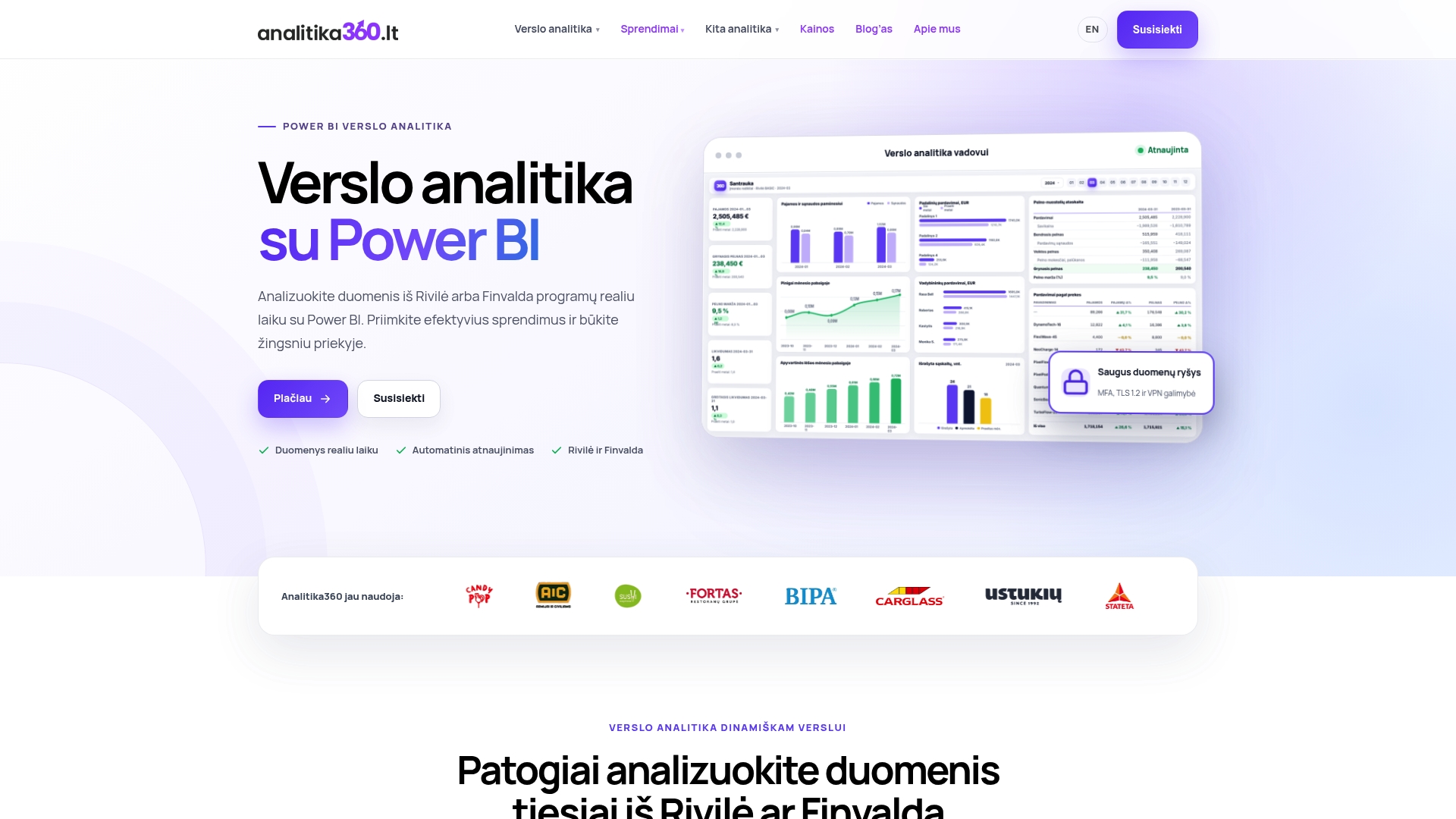
Analitika360 offers:
- Rivilė Basic and Rivilė PRO packages, tailored to Rivilė users.
- Finvalda Basic and Finvalda PRO packages for Finvalda users.
- Bespoke projects where more complex integration with several sources is needed.
You will find prices for all plans and the terms for bespoke projects on the pricing page.
Sources
This article is general information, not a substitute for advice from a qualified financial advisor. Consult a qualified financial professional about your own circumstances before acting on anything here.
Frequently asked questions
How often does Power BI refresh data from SharePoint?
Power BI usually checks and syncs SharePoint and OneDrive files roughly every hour when data is imported from these sources. The exact frequency depends on the plan and configuration in use.
Can Power BI refresh data from an on-premises SharePoint server?
Yes, but only with the supported authentication mechanisms: Anonymous, Basic or Windows. ADFS and form-based authentication are not suitable for automatic refresh, so in such cases additional infrastructure is often required.
How much does the Rivilė Basic package cost?
The Rivilė Basic package costs €59 a month and includes a ready-built Power BI reporting solution integrated with Rivilė accounting data. The Rivilė PRO plan, with additional features, costs €89 a month.
Who is responsible for data security in a cloud-based reporting system?
Cloud security works on a shared responsibility model: the EDPB guidelines state that the provider ensures the security of the infrastructure, while the organisation is responsible for configuring access rights and documenting processing activities. The contract should clearly define the obligations of both parties.
Why does a Power BI report refresh slowly or with errors?
The most common cause is large Excel files or complex business logic written into the file itself, which slows down the refresh process. The usual solution is to move calculations into Power Query or to pre-aggregate the data before import.