
Rivilė sales: how to record documents and prices correctly
The Rivilė sales module lets you record sales of goods, services and codes, and generate the core documents: the delivery note, the order, the quotation and the invoice. For an accountant, three things matter most: the correct price hierarchy, an accurate “Pirminis Dok. Nr.” (original document number) field and posting the transaction to the general ledger on time. This guide shows how to do it step by step and which mistakes to avoid.
In brief:
- Sales documents must be entered and posted to the general ledger on time so that they reflect actual income and expense entries.
- Discrepancies in stock balances and reservations may stay invisible until documents are posted, so errors need to be checked regularly.
- Errors in the “Pirminis Dok. Nr.” field can disrupt the settlement of debts, which makes correctly identifying related documents a critical step.
- Automated Power BI reports let you monitor sales, outstanding balances and the match between reserved quantities in real time, without checking data by hand.
- Final checks, recommended weekly, help prevent errors and keep data accurate, especially in companies with a high volume of sales documents.
Contents
- What the Rivilė sales module is and where to find it
- How to enter a sales document step by step
- Selling goods: warehouse, reservations and stock balances
- Managing services and sales codes
- How the sales price selection hierarchy works
- How orders and reservations are turned into invoices
- Allocating payments and settling them against sales documents
- Why posting the transaction is a critical accounting moment
- How Power BI reports help control Rivilė sales
- Editorial insight: an accountant’s checkpoints when working with Rivilė sales
- Analitika360: an alternative for Rivilė sales data
- Sources
- FAQ
What the Rivilė sales module is and where to find it
The sales module is the part of Rivilė in which all of a company’s sales documents are entered. You can find it via the menu path Servisas → Pardavimai → Pardavimo operacijos (Service → Sales → Sales transactions), which gives access to both orders and invoices.
The module handles several different operations:
- entering and approving invoices;
- reserving goods and later transferring the reservations to shipments;
- producing delivery notes for goods leaving the warehouse;
- i.SAF export to the tax administrator’s register (i.SAF is the tax authority’s invoice register).
Which document type you choose depends on the stage of the transaction. You use an order or a quotation when the customer has not yet finally confirmed the purchase. You issue a delivery note or an invoice when the goods or service are actually handed over and need to be reflected in the accounts.
How to enter a sales document step by step
Creating a new document in Rivilė follows a clear sequence, and departures from it are what most often cause accounting errors. Entering a sales document involves filling in the general information, completing the lines and finally posting.
- Click “Naujas” (New) and choose the document type (delivery note, invoice, order or quotation).
- Fill in the general fields: document number, date and customer.
- Enter the lines: code or item, quantity, price and discount percentage, if one applies.
- Check the document counter and the “Pirminis Dok. Nr.” field if the transaction relates to an earlier document.
- Save the document and, once the data has been confirmed, post it.
“Pirminis Dok. Nr.” is not a formality. This field links documents to one another and is the basis for settling debts, so an error in it is hard to spot later on.
Pro tip: Before posting a document, compare the sum of the lines with the document total by hand at least once a week until you are used to how a new member of staff enters data.
Selling goods: warehouse, reservations and stock balances
Sales of goods in Rivilė are closely tied to warehouse stock balances, so choosing the wrong document type immediately distorts the inventory picture. A “Rezervavimas” (reservation) is used when goods are earmarked for a customer but have not yet physically left the warehouse, while a delivery note or invoice is issued only once the goods have actually been handed over.
- the “Likučiai” (Balances) button shows the quantity in stock straight away and lets you select the item on the line, with no need to open a separate warehouse report;
- reserved quantities are shown in current balances separately from free stock, so another sale cannot “take over” goods that are already reserved;
- while a document is marked as reserved, the system shows it as issued in current balances, but the FIFO calculations and accounting entries do not yet change;
- only after posting does the transaction reach the general ledger and actually adjust the value of inventory on a FIFO basis.
In practice, this means that an error at the reservation stage (for example, a wrong quantity) will not show up in the accounting turnover until the document is posted. That is why it pays to check reservations early, not at month end.
Managing services and sales codes
Services and codes are set up differently from goods in Rivilė, so it is worth knowing when to use a full service card and when a code is enough. The most important fields on a service card are the account mapping table, which specifies which ledger accounts the income should go to, and the unit of measure.
- a sales code is a simplified version of a service, handy for one-off or minor transactions where no detailed account mapping is needed;
- for subscription or recurring services (for example, a monthly fee), contracts with annexes are used, from which the system can generate sales transactions automatically;
- a code is the right choice when the accounting for the service does not get complicated across different charts of accounts; a full card is needed when income and costs must be separated.
Automated invoice generation from contracts reduces manual work, but it requires the contract to be filled in correctly from day one. An error in an annex will be repeated in every document generated.
How the sales price selection hierarchy works
An incorrectly assigned price is one of the most common reasons an accountant later has to correct documents that have already been posted. In Rivilė, the price is selected in a fixed order: first the contract price, then the price list, then the promotional price and finally the department’s sales price.
- the contract price takes absolute priority if an individual sales contract has been agreed with the customer;
- if there is no contract, the system looks for the price list assigned to the customer (A, B, C and so on);
- where there is no price list price, the promotional price applies, if one is valid for that period;
- the last fallback is the department’s general sales price.
The order for the discount percentage is different: contract → promotions → item card → discount table. Price lists are set up on item cards by someone with the appropriate permissions, and a price list is assigned to a customer on the customer card. One important condition: price lists only work from departments where the “Taikyti nuolaidas” (Apply discounts) flag is ticked.
Pro tip: If the price selected by the system needs to be changed by hand during a sale, check whether the employee has permission to do so in the program settings. Uncontrolled manual price changes are a common reason why income at month end does not match the planned margin.
How orders and reservations are turned into invoices
A sales order is an intermediate document between the customer’s enquiry and the final invoice, so using it correctly prevents income from being recognised too early.
- An order line is created with the quantity, price and requested delivery date.
- The goods can be reserved using the “Rezervuoti kiekį” (Reserve quantity) button, which marks them as allocated in the stock balance but does not change the accounting entries.
- Once the order reaches the “Patvirtintas” (Approved) status, the final document can be created from it.
- The “Sukurti pardavimų sąskaitą” (Create sales invoice) or “Sukurti siuntą” (Create shipment) buttons transfer the data directly from the order, without re-entering the lines.
This route reduces the risk of human error, because the lines are not copied by hand from the order to the invoice, only confirmed.
Allocating payments and settling them against sales documents
Payments in Rivilė are managed in close connection with sales documents, and errors here usually come from incorrect allocation rather than from entering the payment itself.
- “Pridėti mokėjimą” (Add payment) lets you record an amount received directly against a specific sales document;
- the “Priskirti dokumentus” (Assign documents) function is used when a payment arrives before the invoice and needs to be linked retrospectively;
- settlements can take place before the final invoice, for example from an advance payment, but only if the payment is correctly linked to the same customer and document;
- before confirming a settlement, it is worth checking that the payment amount and the document amount match to the cent, because any difference will remain as an unexplained balance in the debt report.
Why posting the transaction is a critical accounting moment
Until a sales transaction is posted, there are simply no accounting entries in the general ledger, even though the document looks fully completed on screen. This means an unposted document will appear neither in the income report nor in the VAT return, even if the goods have physically left the warehouse.
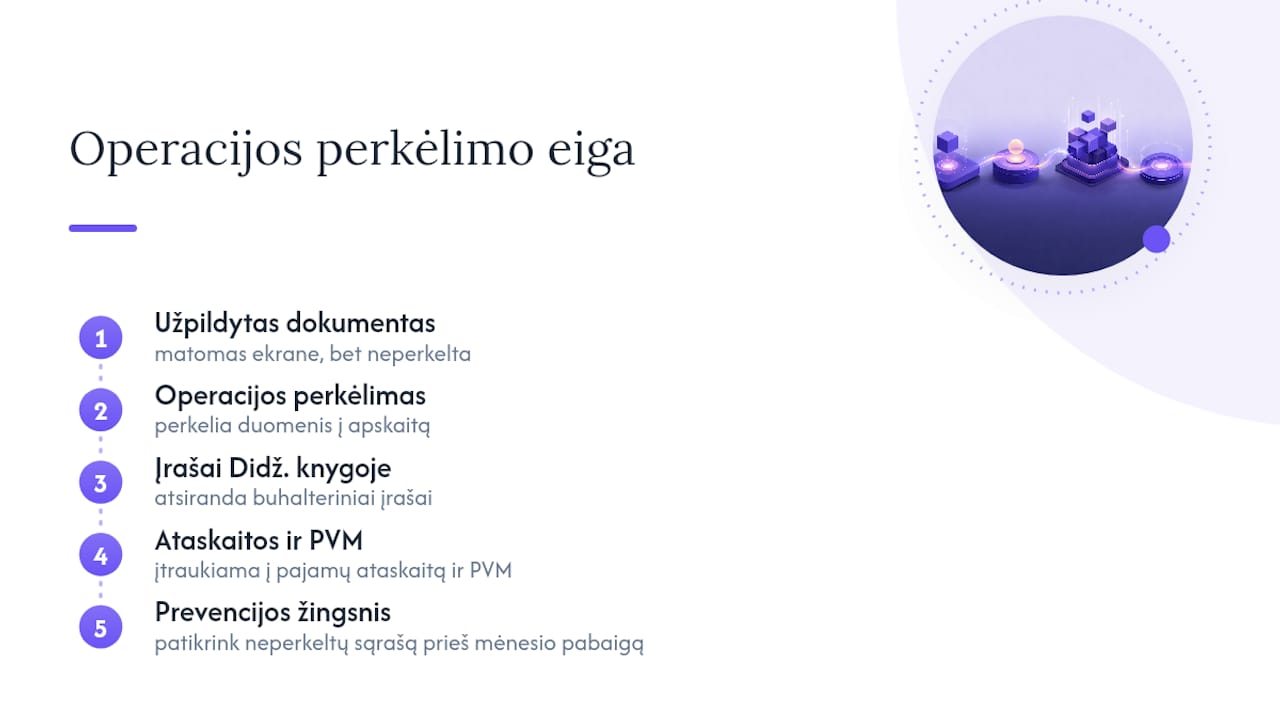
The most common practical mistake is an incorrectly completed “Pirminis Dok. Nr.” field, which disrupts the settlement of debts between related documents. The second common mistake is copying documents from one another without checking them, so prices or quantities carry over from an old template that is no longer relevant.
Pro tip: Before posting a batch of documents at month end, generate a list of unposted transactions and check it by hand. Five minutes spent on this step can save hours correcting general ledger entries later.
How Power BI reports help control Rivilė sales
Checking Rivilė data by hand in Excel spreadsheets has its limits when a company generates dozens of sales documents every day. Automated Power BI reports connected to the Rivilė database refresh without any extra input from the user and show the key indicators in real time.
Practical indicators worth monitoring continuously:
- income and costs by department or product group;
- profit margin compared with the planned price list prices;
- outstanding balances and overdue payments;
- the match between reserved quantities and transactions actually posted.
The last point is particularly useful, because automated reports make it quick to spot discrepancies between what has been reserved in the warehouse and what has actually been posted to the accounting entries. In practice, you can expect the first weeks of implementation to be spent connecting the data sources, after which the report refreshes automatically every day.
Editorial insight: an accountant’s checkpoints when working with Rivilė sales
The biggest mistake we see time and again is not technical but procedural: accountants check that price lists are correct once a month when they should be checking once a week. The contract price taking priority over the price list sounds academic until an incorrect contract starts automatically generating invoices at an old price.
At the end of each month, it is worth checking three things: the list of unposted documents, the match between reservations and actual postings, and the consistency of “Pirminis Dok. Nr.” across related documents. When these checks take more than an hour a month, it is worth considering an automated report that shows these discrepancies straight away, not after the fact.
— Analitika360
Analitika360: an alternative for Rivilė sales data
Checking Rivilė sales data by hand in Excel spreadsheets takes time that many accountants simply do not have at the end of every month. Analitika360 offers an alternative: a ready-built set of Power BI reports that refreshes automatically from the Rivilė database, with no need to export and check spreadsheets by hand each time.
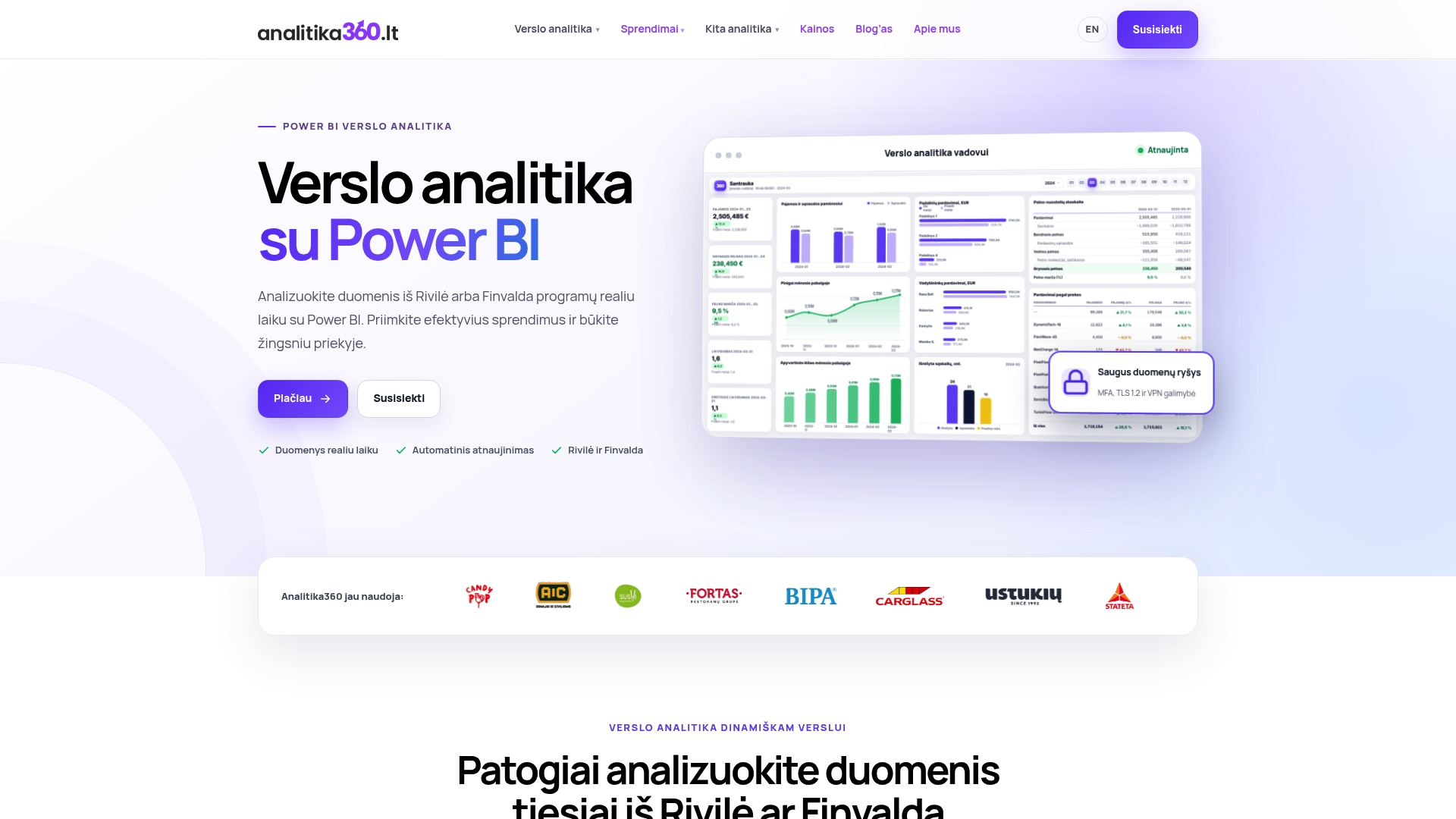
Those who benefit most are accountants and finance managers who look after several departments or a large number of sales documents, as well as restaurant chains that need to see sales and warehouse data in one place. The Rivilė Basic solution costs €59 a month and includes a ready-built report package, while for more complex cases there is the Rivilė PRO plan at €89 a month or bespoke projects charged at an hourly rate of €70 an hour. If you would like to see how your sales data would look in an automated report, get in touch with Analitika360 to discuss implementation options.
Sources
You will find more information on entering sales documents in the Rivilė GAMA guide on selling goods and in the lesson on prices and price lists. For producing quotations and pro forma invoices, see the Rivilė ERP guide, and for stock movement analytics, see the Analitika360 page.
FAQ
What is the Rivilė sales module?
It is the part of Rivilė used to manage sales of goods, services and codes. It is where delivery notes, orders, quotations and invoices are entered, and where the i.SAF export is carried out.
In what order does Rivilė select the sales price?
The price is selected in this order: first the contract price, then the price list price, the promotional price and finally the department’s sales price. The contract always takes the highest priority over other pricing rules.
When should I use a reservation and when a delivery note?
A reservation is used when goods are earmarked for a customer but have not yet left the warehouse. A delivery note or invoice is issued only once the goods have actually been handed over, because only then does the transaction affect the accounting entries.
Why does the “Pirminis Dok. Nr.” field matter?
This field links related documents and is the basis for settling debts between them. An error in it can disrupt the settlement and leave unexplained balances in the debt report.
Can Rivilė sales reports be refreshed automatically?
Yes. Power BI reports integrated with the Rivilė database refresh automatically without any extra input from the user. Analitika360 offers this solution from €59 a month on the Rivilė Basic plan.