Your business in 360°
 Finvalda API and Power BI: how to connect your data in 2026

Finvalda data can be brought into Power BI through Finvalda’s official web service (API). It is available over SOAP or REST and returns sales transactions, stock balances, customer records and other accounting data in XML or JSON format. Connecting to it does not take long. Most of the work lies elsewhere: transforming the data (ETL), building a reliable data model and setting up automatic refresh. This guide explains how the whole chain works, where people most often go wrong and which route suits your company.
TL;DR
- Finvalda’s web service runs over SOAP or REST, and to connect you need the company database code, a username and a password.
- The API returns XML or JSON, so the data has to be transformed before it is loaded into Power BI: without ETL your reports will not be reliable.
- If the data sits on a local server, automatic refresh requires an “On-premises data gateway”, which must be switched on at all times.
- A Power BI Pro licence allows up to 8 scheduled refreshes a day; Premium-type licences allow more.
- A ready-built Finvalda Power BI package saves you building the integration from scratch. Analitika360 Finvalda Basic costs €59 a month and PRO costs €89 a month.
Contents
- What the Finvalda API actually gives you
- From API to Power BI report: five steps
- Automatic refresh: the gateway and frequency
- Three routes: which to choose
- Mistakes that ruin reports
- Our view: the API is only the start
- Finvalda reports without manual work
- FAQ
- Sources
What the Finvalda API actually gives you
Finvalda has a web service known as the FVS web service. Its methods, input parameters, results and possible error messages are described in the official guide to using the web service methods. The key facts for a Power BI project are:
- Protocols. The methods are available over SOAP or REST, for example through the FvsServicePure.svc interface.
- Authentication. You need the company ID (database code), a username and a password. It is worth creating a separate user for the integration with read-only permissions.
- Data format. Results are returned in XML or JSON. Power BI can read both, but the structure first has to be expanded into tables.
- Data scope. Through the API you can retrieve sales and purchase transactions, stock balances, and customer and product records.
The API is not used only by analytics systems. Invoice digitisation tools, for instance, send invoices straight into Finvalda via the Finvalda API, so there is no need to import files. There are also open-source libraries for developers, such as a PHP SDK that documents the REST URL pattern FvsServiceR.svc/rest. This shows that the interface is mature and widely used. Even so, for Power BI analytics it is only the first link in the chain.
Finvalda comes in several forms: in the browser, as a mobile app, on a server or on a desktop computer. This determines where the database physically sits and, in turn, how Power BI will reach it.
From API to Power BI report: five steps
If you build the integration yourself, the work usually runs in this order:
- Setting up access. You obtain the web service address, the company database code and the login details for the integration user. You check that the server can be reached from wherever the refresh will run.
- Queries in Power Query. In Power BI Desktop you create queries against the methods you need: sales, purchases, stock balances, customers, products. For each method you set the parameters, such as the period.
- Transformation (ETL). You expand the XML or JSON structure into tables, standardise date and number formats, remove duplicates, and sort out currencies and VAT.
- Data model. You create fact tables (transactions) and dimensions (customers, products, warehouses, calendar), link them by ID and write the DAX measures: revenue, cost of sales, margin, outstanding debts.
- Publishing and refresh. You publish the report to the Power BI service, connect the gateway, and set the refresh schedule and access permissions.
Steps three and four take the most time. Microsoft’s documentation on semantic models makes it clear that a report is only a layer on top of the model. If the relationships between tables are built badly or the IDs do not match, no amount of visualisation will fix the error. We cover model structure in more detail in our guide to the data model for finance.
Automatic refresh: the gateway and frequency
The most common surprise: the report refreshes in Power BI Desktop, but stops refreshing once published. This is because the Power BI cloud cannot see your local server directly. Microsoft states that on-premises data sources require an “On-premises data gateway”, and scheduled refresh only works when the gateway is reachable. How to install and configure the gateway is shown in Microsoft’s tutorial on refreshing on-premises data.
In practice this means the gateway is installed on a computer or server that runs continuously and has an internet connection. The accountant’s laptop, which gets switched off in the evening, is not suitable for this.
The number of refreshes per day depends on the licence:
| Licence | Scheduled refreshes per day | Best suited to |
|---|---|---|
| Power BI Pro | up to 8 | Management and accounting reports where a few refreshes a day are enough |
| Premium Per User, Premium / Fabric capacity | up to 48 | Near real-time monitoring of sales, stock and restaurant chains |
Source: Microsoft Learn, configuring scheduled refresh. Licence terms may change, so check them before you buy.
Three routes: which to choose
Lithuanian companies working with Finvalda usually choose one of three options.
| Criterion | Your own API integration | Excel export to Power BI | Ready-built Power BI package |
|---|---|---|---|
| Time to launch | Weeks or months | A few days | Shortest, the model is already built |
| Skills required | API, Power Query, DAX, gateway | Excel, Power BI basics | Minimal |
| Refresh | Automatic, if everything is configured | Manual | Automatic |
| Risk of errors | Medium, depends on the developer | High, the human factor | Low, the model is tested |
| Maintenance | Your IT team | Accounts team every week | Service provider |
Your own integration suits you if you have a data engineer and specific requirements. Factor in maintenance as well as development: if the methods or data structure change, the queries will need fixing.
Excel export is a quick start but later becomes a chore: every week the data has to be exported, loaded and checked. We describe how to simplify this process in our Finvalda sales guide for accountants.
A ready-built package saves you building the integration from scratch. On its website Finvalda describes its integration with Analitika360: a set of 7 automated Power BI report pages for financial analysts and managers.
Mistakes that ruin reports
- “All you need to do is connect”. Without ETL and automatic refresh the data has to be handled manually, and every manual step increases the risk of errors.
- Unmatched identifiers. If product or customer codes differ between tables, sales and stock figures will not reconcile.
- No calendar table. Without one, year-on-year comparisons, running totals and seasonality analysis will not work.
- Everyone sees everything. Microsoft recommends using row-level security (RLS) so that a sales manager sees only their own customers, while cost of sales and margins remain visible to senior management only.
- Gateway on a personal computer. When it is switched off, refresh stops and the manager looks at yesterday’s figures in the morning.
Our view: the API is only the start
We work with Finvalda and Rivilė users every day. We see that success depends not on connecting to the API itself, but on what happens afterwards. What matters to clients is not JSON or XML, but answers to specific questions: how much did we earn this month, which customers are paying late, which products have been sitting in the warehouse too long.
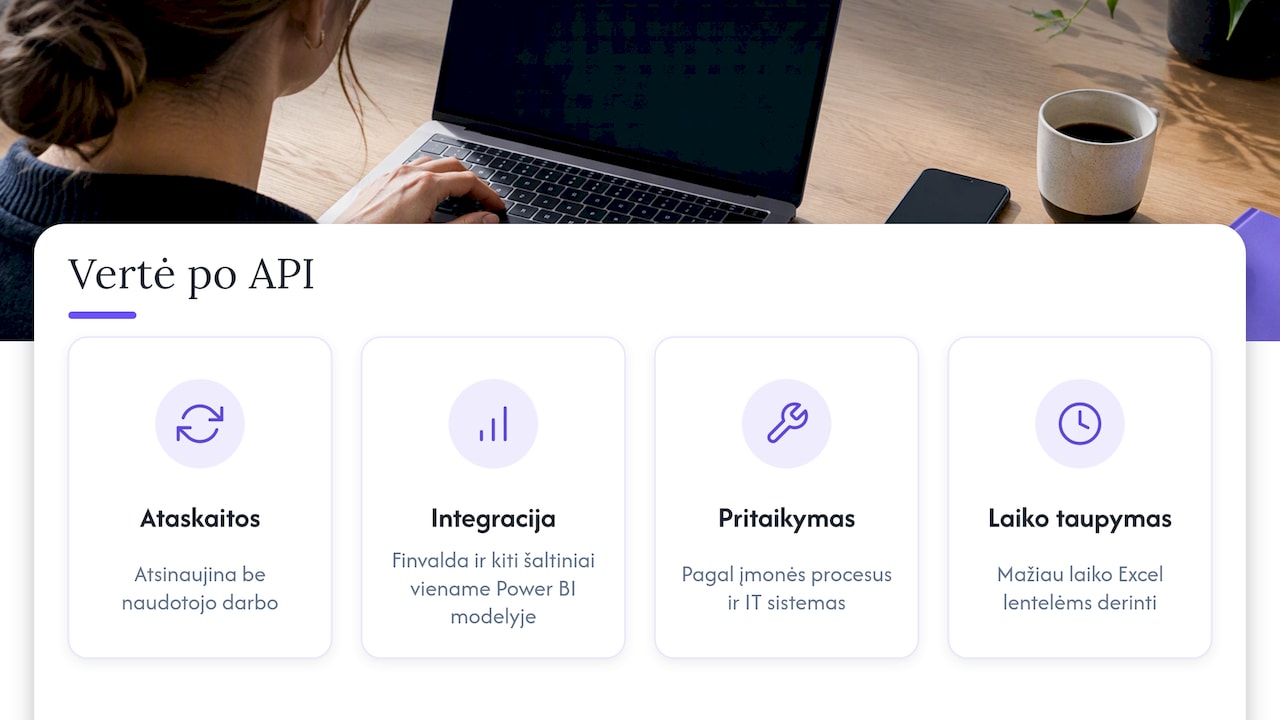
That is why we build ready-made report sets that refresh without any extra work from the user. We also combine different sources, such as Finvalda, SharePoint, Excel, CRM or logistics systems, into a single Power BI model. Where a company’s processes are non-standard, we adapt the solution to its processes and existing IT systems rather than forcing the company to fit a template. Restaurant chains and accountants using our system save the time they used to spend reconciling Excel spreadsheets and get the financial information they need for strategic decisions.
Our advice: before you start building an integration, write down the 5–10 metrics the manager wants to see every morning. Then judge whether it is worth building them from scratch.
— Analitika360
Finvalda reports without manual work
If you want to see your Finvalda data in Power BI without building your own integration, Analitika360 offers two ready-made plans:
- Finvalda Basic: €59 a month.
- Finvalda PRO: €89 a month.
- Bespoke projects: €70 an hour, when you need additional sources or industry-specific reports.
The reports show revenue, expenses, profit, the balance sheet, sales, inventory and outstanding debts. We also sell Microsoft Pro and Premium licences. You will find all prices on our business analytics pricing page. We cover specific topics in more depth in our articles on Finvalda debt reports and the Finvalda profit report.
FAQ
Does Finvalda have an official API?
Yes. Finvalda has the FVS web service, whose methods are available over SOAP or REST. All methods, parameters and error messages are described in Finvalda’s official guide. Data is returned in XML or JSON format.
Can Finvalda be connected to Power BI without a developer?
Building your own API integration requires knowledge of Power Query, data modelling and gateway configuration. Without that, the options are manual Excel export or a ready-built Power BI package. A package gives you automatically refreshing reports with no technical work on your side.
How often does a Power BI report with Finvalda data refresh?
It depends on the licence. According to Microsoft, Power BI Pro allows up to 8 scheduled refreshes a day, and Premium-type licences allow up to 48. If the data is on a local server, the gateway must run continuously.
Is it safe to move Finvalda data into Power BI?
Security depends on the configuration. Use a separate user with read-only permissions for the integration, and apply row-level security (RLS) in Power BI. That way each employee sees only the data intended for them.
How much does a ready-built Finvalda Power BI solution cost?
Analitika360 Finvalda Basic costs €59 a month and Finvalda PRO costs €89 a month. Bespoke projects cost €70 an hour. Microsoft licence costs are charged separately.
Sources
- Finvalda: guide to using the web service methods
- Finvalda: business management systems
- Finvalda: integration with Analitika360
- INVOX help centre: how to connect the Finvalda API
- GitHub: Finvalda PHP SDK
- Microsoft Learn: Configure scheduled refresh
- Microsoft Learn: Connect to on-premises data
- Microsoft Learn: Semantic models in the Power BI service
- Microsoft Learn: Row-level security in Power BI