Your business in 360°
 Finvalda SQL and Power BI: how to connect your data in 2026

There are three ways to get Finvalda data into Power BI: connecting directly to the SQL database, using the Finvalda Webservice API, or exporting to Excel. For most companies that want income, expense, profit and debt reports that refresh automatically every day, a direct SQL connection with a data gateway is the best fit. In this guide we explain how it works, what IT needs to prepare, what the refresh limits are and where people most often go wrong.
In brief
- A direct SQL connection is the fastest and most stable way to bring Finvalda data into Power BI, provided the database runs on your own server.
- For reports to refresh in the Power BI cloud, you need to install an on-premises data gateway on your local network.
- A Pro licence lets you schedule up to 8 refreshes a day; Premium capacity allows up to 48.
- The Webservice API suits integrations, but it is slower for analytics and needs extra network configuration.
- The biggest job is not connecting but building the right data model: the relationships between the chart of accounts, documents and business partners.
Contents
- Three ways to access Finvalda data
- How a direct SQL connection works
- Refresh frequency and licences
- What to check before building reports
- Which reports to start with
- Our approach
- Ready-made Finvalda report packages
- FAQ
- Sources
Three ways to access Finvalda data
Before building your first report, it is worth deciding where Power BI will get its data from. This determines refresh speed, security and how much manual work will be left each month.
| Method | How it works | Advantages | Drawbacks |
|---|---|---|---|
| Direct SQL connection | Power BI reads the Finvalda database tables through the SQL Server connector | All the data, fast refresh, full automation | Requires an SQL user, a gateway and knowledge of the data structure |
| Webservice API | Data is retrieved through SOAP or REST requests | Suits integrations, no direct database access needed | Slower for large volumes, requires configured profiles and internet access |
| Excel export | Reports are exported from Finvalda and loaded into Power BI | Easy to get started | Manual work, risk of errors, data goes out of date |
Excel export is often the first step, especially for accountants who want to see their data visualised quickly. We described how to organise that process in our Finvalda sales guide for accountants. Even so, once reports need to refresh without anyone stepping in, Excel files become the weak link.
The API route has its own quirks. Finvalda web service requests rely on profiles configured on the server side (FvsNETParamKonfig), so without the right settings REST API requests will not work. In addition, external systems require the Finvalda server to be reachable from the internet over HTTPS, and internal network addresses are not supported. For analytics that needs large volumes of historical data, this adds complexity.
How a direct SQL connection works
When the Finvalda database runs on SQL Server, whether on an office server or a rented one, Power BI connects to it using the standard SQL Server connector. The process consists of a few clear steps:
- Create a dedicated SQL user. Give it read-only access to the database you need. That way Power BI can never change your accounting data.
- Install the data gateway. It is installed on a computer or server that can reach SQL Server and is always switched on.
- Connect in Power BI Desktop. Enter the server and database names, and choose Import or DirectQuery mode.
- Build the data model. Link the general ledger entries, documents, business partners, products and chart of accounts.
- Publish the report and link it to the gateway. In the Power BI service, assign the data source to the gateway and enter the SQL login details.
- Schedule the refresh. Set when and how often the data should refresh.
Import or DirectQuery
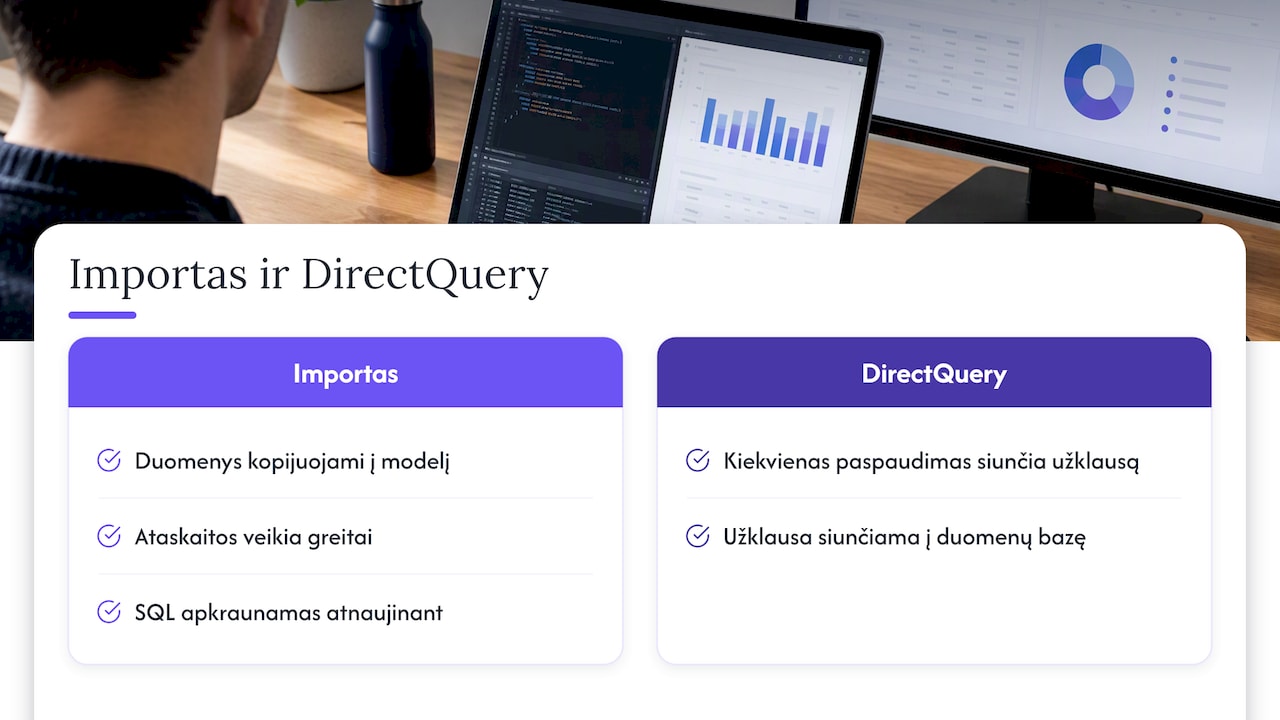
In Import mode, the data is copied into the Power BI model, so reports run quickly and the SQL server is only under load during a refresh. In DirectQuery mode, every click in a report sends a query to the database. For financial analytics from an accounting system, we usually choose Import: Finvalda is a live working system, and accountants should not notice any slowdown when a manager is looking at reports. We compared the two modes in more detail in our article DirectQuery or Import.
The data gateway
The Power BI service runs in the cloud, while your Finvalda database sits on your local network. The gateway is the bridge between them. Microsoft provides step-by-step instructions on refreshing a semantic model from an on-premises SQL Server database, and adding a data source to a gateway is covered separately. We have gathered practical installation tips for companies in Lithuania in our Power BI data gateway guide.
If a refresh fails, check the login details first. Microsoft recommends making sure that the same authentication method is used as the one the SQL user actually uses to connect to the server. A common mistake: SQL Server only allows Windows authentication, but an SQL user has been entered in the gateway.
Refresh frequency and licences
Scheduled refresh determines how up to date the figures in a report are. According to Microsoft’s documentation, a Pro licence allows up to 8 refreshes a day, and Premium up to 48.
For most companies, a few refreshes a day are enough:
- In the morning before work starts, so the manager can see yesterday’s results.
- At lunchtime, when you need to track the day’s sales, for example in a restaurant chain.
- In the evening, once the accounts team has finished entering documents.
If a refresh clashes with heavy Finvalda tasks, such as month-end close or a bulk document import, move it to a quieter time. We covered all the settings and limits in detail in our article on Power BI scheduled refresh.
What to check before building reports
Connecting to SQL takes an hour or two. Most of the time goes into understanding the data. Before you start modelling, check:
- The chart of accounts. A profit report needs income and expense accounts to be clearly grouped. You will find out how to do this in our Finvalda profit and loss statement guide.
- Document statuses. Unposted or cancelled documents must not end up in the results.
- Business partner codes. Duplicate customers distort debt and sales summaries.
- Departments and cost objects. For a chain of restaurants or shops, they are the basis for comparing locations with one another.
- Currencies. Foreign currency transactions must be converted consistently.
Once the accounting data is in order, it is worth linking it to other sources: CRM, SharePoint lists or Excel budgets. Sales figures become more meaningful when you can compare them with market and consumer research: then you see not only how much you sold, but also what share of the market that represents. You will find concrete examples in our Finvalda sales analysis guide and in the article on Finvalda balance sheet analysis.
Which reports to start with
Once the SQL connection is working, it is tempting to build dozens of pages straight away. A better approach is to start with the three reports management looks at most often:
- Profit and loss summary. Income, expenses and profit by month, department and cost object, compared with the previous year.
- Debt report. Receivables and payables by ageing bracket, so the finance manager can see where cash is getting stuck.
- Sales analysis. Sales by customer, product and sales manager, with margin and trend.
Once these reports have been checked and the figures match Finvalda’s own reports, you can extend the model: balance sheet, inventory, cash flow, and budget versus actual comparison.
Our approach
We often see the same scenario: a company decides to “do Power BI itself”, an IT specialist connects the SQL database in a day, and then weeks are spent trying to work out which tables and fields make up the correct profit figure. The technical connection is the easy part. The value comes when the model reflects the accounting logic and reports refresh without any manual work.
That is why we prepare ready-built report sets for Finvalda users that already know Finvalda’s data structure. On the company’s side, all that is needed is access to the database and one person who can answer questions about the accounting processes. When more is needed, we bring SharePoint, Excel, CRM or logistics data into the same Power BI model and adapt the solution to the existing IT systems. Our aim is simple: the manager opens the report in the morning and sees the right figures, and the accountant no longer exports spreadsheets.
— Analitika360
Ready-made Finvalda report packages
If you would rather not build a model from scratch, Analitika360 offers subscription Power BI packages for Finvalda users:
| Package | Price | Best for |
|---|---|---|
| Finvalda Basic | €59 a month | Income, expense and debt indicators in a single automatically refreshing report |
| Finvalda PRO | €89 a month | Companies that need broader financial analysis |
| Bespoke projects | €70 an hour | Specific industries, additional data sources and tailored reports |
We also help you obtain the Microsoft Pro and Premium licences you need. If your goal is debt control, start with our guide on how to automate Finvalda debt reports in 1–2 weeks.
FAQ
Can Power BI be connected to Finvalda without a data gateway?
In Power BI Desktop, on a computer that can reach the SQL server, you can build a report without a gateway. However, for a published report to refresh automatically in the Power BI service, a gateway is essential when the database is on a local network. Without one, you would have to refresh the data manually.
Can Power BI change data in Finvalda?
No, provided you use an SQL user with read-only rights. Power BI reports read data; they do not write it. We recommend never using an administrator account for the analytics connection.
Will an SQL connection slow Finvalda down?
In Import mode, the server is only under load during a refresh, usually for a few minutes. If you schedule the refresh outside working hours, accountants will not notice any difference. DirectQuery mode puts a constant load on the server, so we rarely choose it for an accounting system.
How long does it take to integrate Finvalda with Power BI?
With a ready-built report package, the technical connection and first reports are usually ready quickly, because the model has already been built. A bespoke solution depends on the number of data sources and the complexity of the accounting. Automating debt reports, for example, takes 1–2 weeks.
Sources
- Microsoft Learn: Power Query SQL Server connector
- Microsoft Learn: Use DirectQuery in Power BI Desktop
- Microsoft Learn: Connect to On-premises Data in SQL Server
- Microsoft Learn: Add or remove a gateway data source
- Microsoft Learn: Troubleshoot on-premises data gateways
- Microsoft Learn: Configure scheduled refresh
- INVOX: How to connect the Finvalda API
- GitHub: Finvalda SDK